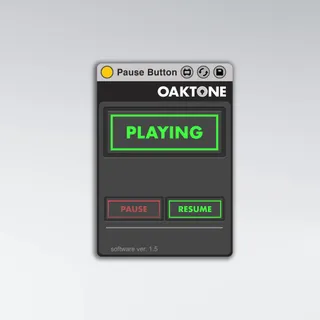
Pause Button
Ableton Live's transport is designed to play from the last ...
- Type
- Audio Effect
- Author
- jeffcaylor
- Version
- 1.5
- License
- Commercial
- Live version
- 11.0.1
- Max version
- 8.0
- Downloads
- 3
- Updated
- 2021-03-24
Pause Button is an Audio Effect for Ableton Live by jeffcaylor, distributed as a commercial (paid) device. It targets Live 11.0.1 and Max 8.0. On maxforlive.com it has 3 downloads. First published 2017-05-11, last updated 2021-03-24. 3 user comments below.
New to Max for Live? Read what Audio Effects do, what the Commercial license means, how to install a device.
Description
Ableton Live's transport is designed to play from the last start point persistently. Usually it's convenient, but sometimes it would be nice to pause and continue where you left off. This is possible using SHIFT+SPACEBAR but there isn't an in-built way to do this with any mappable functions in Ableton Live.
Pause Button solves this problem. Drop this lightweight, processor friendly MaxForLive device into any audio or midi track and once your transport is playing, you can use the button to pause and continue playback. You can also stop the transport using the spacebar and then continue playback using Pause Button.
Map the button on the device to midi messages or your computer keyboard for remote toggle control. Alternatively, you can map separate midi notes or cc messages to the play and pause buttons independently.
Available for $9 usd at http://www.oaktone.com/products/pause-button
Please note, I’m providing these details at maxforlive.com as an FYI to the community of folks here who like interesting add-ons for Ableton Live. If you have any issues, please use the form on my web site since I rarely visit this page and likely won’t see your comments.
Version History:
1.1 - Updated interface and cleaned up code. Added midi mappable play and pause buttons.
1.5 - Rebranded and updated interface at Oaktone.com
Comments (3)
don't send me any emails it was a good hook tho