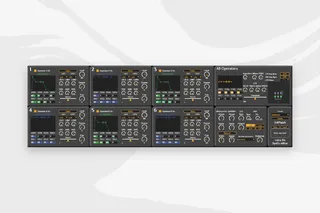
KORG Volca FM SysEx Editor
version: 2.1.1 Release date: 2022.04.11 Device format:...
- Type
- MIDI Effect
- Author
- NoraPatches
- Version
- 2.1.1
- License
- Commercial
- Live version
- 10.1
- Max version
- 8.2.1
- Downloads
- 0
- Updated
- 2022-04-15
KORG Volca FM SysEx Editor is a MIDI Effect for Ableton Live by NoraPatches, distributed as a commercial (paid) device. It targets Live 10.1 and Max 8.2.1. First published 2020-04-05, last updated 2022-04-15. 11 user comments below.
New to Max for Live? Read what MIDI Effects do, what the Commercial license means, how to install a device.
Description
version: 2.1.1
Release date: 2022.04.11
Device format: Max4Live MIDI Device (.amxd)
Release name and format: volca fm v 2.1.1amxd
Number of files: 1
--------------------------
Required Volca firmware: FW v1.0.9 (not included)
CREATOR OF FW v1.0.9
reddituser pajen
--------------------------
This Max4Live MIDI device lets you control all parameters on your KORG Volca FM synthesiser via MIDI CC and MIDI SysEx (System Exclusive) messages.
For successful operation it's required to send the MIDI messages into the unit via MIDI Channel 1, regardless of the unit being modded or not.
What's new [2.1.1]:
- Bugfixes
What's new [2.1]:
- 32 built-in presets from OscillatorSink
- Full SysEx save/load* support (*1-voice patches, 164 bytes)
- Ability to edit patch name
- updated GUI
What's new [2.0.1]:
- Floating window GUI
- Graphic representation of envelopes
- Dynamically changing colours of operators depending on selected algorithm
- All parameters are MIDI mappable, automation-enabled
- Load .syx files (single patches only) BETA function
- Help window
(Please note that the device makes no sound on its own, it's used only to control [one-way] a hardware synthesiser!)
--------------------------
How to use:
Step 0: Turn your Volca FM OFF.
1. In Ableton Live, create a new MIDI track
2. Add External Instrument from Ableton Live Instruments
3. Configure External Instrument to your MIDI OUT that you use for the Volca FM
Step 4: Turn your Volca FM ON to configure with External Instrument
5. Add "KORG Volca FM Editor v2.1.1.amxd" to this track
--------------------------
Comments (11)
Finally a clean and comprehensive Volca FM Editor.
I installed here and had some issues
The Envelope Rates or Levels from ANY oscilator won't work. The only parameters that receive MIDI correctly are the main buttons on the front of the Volca (Algorithm, Arp, Div etc etc)
Can you tell me if this is happening because I use Max 7? (I have an authorized Max For Live version but the main app Max is still 7)
I am unsure about this version issue, I haven't used any objects that would not have existed in Max7 as to my best knowledge.
In the .amxd format I have hidden the MIDI device selector umernu object, due to device automatically sending midiout to the same track it is on, in Ableton.
Do you experience this issue when running from Ableton or from Max7?
If you use it from Max7, scroll a bit down in the editor window to see MIDI selector umenu object, maybe that helps!
If you open the device in Max7
The official v1.0.7 FW doesn't let you modulate the individual SysEx parameters, only a bulk dump (working on it already btw)
thank you so much for your help!
It has nothing to do with Max 7 I guess. After a couple of tries I think it was the FW, I reinstalled it again and now is working like a charm :)
thank you for this amazing max plugin!
I still experience issue with midi send
The control sector is working well
All others parameters such as OP Envelopes are disabled, moving them I do not receive midi out like from "Kontrol" panel - here all parameters send midi out to my volca...
How can I try to fix it?
According to pajen (the creator of the fw1.09) there is a new menu item while turning on the volca fm while holding FUNC, please try both the “Yamaha” mode and the “volca” modes.
P.S. soon the version II Pro is coming out as well, with window GUI and sysex load/ave functions, it’s a matter of weeks now!
Does any of you know how to set the Frequency when the OSC is set to FIX? The manual of the volca we all know very poor :D
Cheers.
Live 11 & Push 2.
I have a small problem, in push 2 the editor controls are not displayed ordered.
Someone with the same problem?