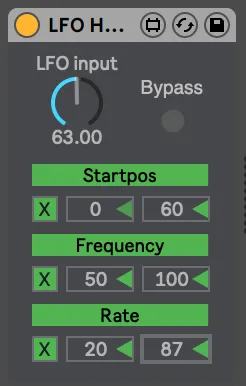
LFO HoldWithNote
A LFO Sample and Hold triggered by midi notes. So every time...
- Type
- MIDI Effect
- Author
- jzjzjz
- Version
- 1.1
- License
- None
- Live version
- 10.0.1
- Max version
- 7.3.5
- Downloads
- 628
- Updated
- 2020-06-06
LFO HoldWithNote is a MIDI Effect for Ableton Live by jzjzjz, distributed as freeware, with no license specified by the author. It targets Live 10.0.1 and Max 7.3.5. On maxforlive.com it has 628 downloads. First published 2020-05-18, last updated 2020-06-06. 5 user comments below.
New to Max for Live? Read what MIDI Effects do, how device licenses work, how to install a device.
Description
A LFO Sample and Hold triggered by midi notes. So every time a note comes in, it holds the current state of the LFO mapped to it... this way each note can have its own characteristics.
Also includes a mappable bypass toggle.
For whatever you think it's worth: paypal.me/jimzweerts
Comments (5)
To ensure that device parameters that will be automated fully using other Max for Live devices, make sure you use UI objects with the live prefix.
Changing your led object to a live.toggle object allowed for it to be mapped directly to an lfo.
It's a 2 second fix, so it'll be no problem for you to update it.