- Type
- Instrument
- Author
- AndrewNorris
- Version
- 1.2.1
- License
- None
- Live version
- 12.2.1
- Max version
- 9.0.7
- Downloads
- 1,342
- Updated
- 2025-07-11
Slideshow is an Instrument for Ableton Live by AndrewNorris, distributed as freeware, with no license specified by the author. It targets Live 12.2.1 and Max 9.0.7. On maxforlive.com it has 1,342 downloads. First published 2021-01-28, last updated 2025-07-11. 3 user comments below.
New to Max for Live? Read what Instruments do, how device licenses work, how to install a device.
Description
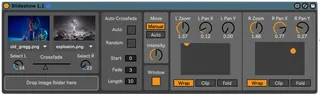
The Slideshow device is intended for creating an automated, dynamic visual slideshow to accompany an Ableton DJ set or live performance. - MAC ONLY
Comments (3)
Do you think that this little implementation could see the light?
Or any advice on how to?
Thanks in advance
You should still be able to drag and drop a folder of videos instead of a folder of images into the device and it'll work. I've tried it just now with a folder of .mov files.
The only problem is the video won't be playing and will only show a still image.
To fix this, open up the device in Max4Live and find the two jit.qt.movie objects.
In each one change the @autostart 0 attribute to @autostart 1.
Then freeze the device and save it.