- Type
- MIDI Effect
- Author
- MBD73
- Version
- 0.1
- License
- None
- Live version
- 8.2.2
- Max version
- 5.1.8
- Downloads
- 4,141
- Updated
- 2011-06-12
iannixtomidi is a MIDI Effect for Ableton Live by MBD73, distributed as freeware, with no license specified by the author. It targets Live 8.2.2 and Max 5.1.8. On maxforlive.com it has 4,141 downloads. First published 2011-06-11, last updated 2011-06-12. 10 user comments below.
New to Max for Live? Read what MIDI Effects do, how device licenses work, how to install a device.
Description
Dear everyone,
OK, here's the download link to the m4l patch iannixtomidi.amxd
(you need to have a Maxforlive license to use it in ableton live and a download of the free software ianniX http://www.iannix.org/en/download.php)
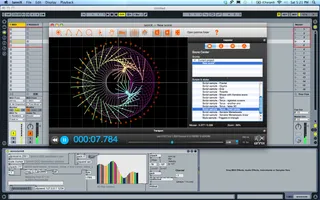
It is a simple but interesting way to create soundscapes, drones and various sick bass or sounddesign effects. with the software Iannix. IanniX is a graphical open-source sequencer, based on Iannis Xenakis works, for digital art. IanniX syncs via Open Sound Control (OSC) events and curves to your real-time environment. There is still alot of possibilities in getting the real programming nerds to make a real m4l interface to control various parametres via midilearn and other useful functions to combine i ableton live. I hope you get inspired to make them and share them here on maxforlive.com
small tutorial:
1. put the patch in the folder with maxforlive midi effects.
2. open ableton live.
3. drop the patch from the maxforlive midi effects folder, on a new midi track in ableton live
4. make another midi track, and drop a synth (or effect) of your choice.
5. assign midi from the iannixtomidi track, to the synth track.
6. assign the midi in track, on the synth track, from the iannixtomidi track.
7. click the monitor in, on the synth midi track.
8. check that the velocity in the iannixtomidi patch is set to 127.
9. open the program iannix.
10. open any of the preset drawings in iannix.
11. hit play in iannix in the transportbar.
there should now be sound!
12. play around with the "ms" in iannix the transportbar and the speed slider in forward and reverse direction.
13. change the frequence spectrum in the zmap object (default; 20 2000) in the iannixtomidi patch.
14. use some interesting synths and combine it with other effectsplugins on the synth track
NB: Remember that you can import javascript drawings from the software processing ( http://processing.org ), or/and manipulate the preset scripts that comes with iannix in the text editing window (also javascript coding) to make changes to the way the script moves and reacts.
Make some amazing soundpaintings and sound sculptures out there!
And a big thank you to the iannix team for making such an amazing piece of graphical software for free!
http://www.iannix.org
All the best
Carsten
MBD73
www.mbd73.com
Comments (10)
seems its maybe not frozen. all i see in the device is the guts of
it:
http://imageshack.us/photo/my-images/542/screenshot20110611at850.png/
thanks again for you work.
sunfallsmusic at gmail.com
http://www.iannix.org/en/download.php
hope that clears it up! :-)
All the best
Carsten
MBD73
Made my first screencast of a brief ableoton session using this device.
http://www.vimeo.com/25221083
-sunfalls
Seems to be very cool !
But it doesn't work for me. I've followed all the instructions, and I don't even get midi pulse into ableton.
My iannix midi ports are all open in the preference.
I use an iMac OSX 10.6.
Any ideas ?
make sure you have the Velocity turned up. I didn't get any sound until i did that.
I didn't have to do any midi in/out routing either. It should just connect via osc, which i didn't alter either.
be sure to have the midi to and from drop down menus set proper:
5. assign midi from the iannixtomidi track, to the synth track.
6. assign the midi in track, on the synth track, from the iannixtomidi track.
7. click the monitor in, on the synth midi track.
Yes I've turned up velocity now (I thought it was the colored stripes) and I got sound but only when I move the pitch. Nothing happen from iannix.
And there is no (tempo-)synch between Live / M4L and Iannix.
When you say "it should just connect via osc". Do I need to get an "osc" somewhere to run it ? Or is it already include in M4L / iannix-patch ?
I will retry tomorrow cause it's quite late now...
Thanks.
http://www.iannix.org/en/community.php
and see if there's any answers in the forum.,
and/or contact the developers
or email me as well, perhaps with a screenshot of whats going on.
and be sure to be running the latest max4live install
5.1.8
and ableton 8.2.2
as that would have an effect as well.
[email protected]
cheers