tRemap Beta
Want to manipulate the time stretch of your ableton clips wi...
- Type
- Audio Effect
- Author
- redmattre
- Version
- 0.1
- License
- None
- Live version
- 11.0.1
- Max version
- 8.1.5
- Downloads
- 0
- Updated
- 2021-11-05
tRemap Beta is an Audio Effect for Ableton Live by redmattre, distributed as freeware, with no license specified by the author. It targets Live 11.0.1 and Max 8.1.5. Published 2021-11-05. 1 user comment below.
New to Max for Live? Read what Audio Effects do, how device licenses work, how to install a device.
Description
Want to manipulate the time stretch of your ableton clips with high precision one click algorithms?
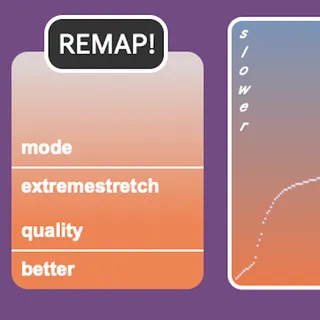
This new max for live device tRemap allows you to rearrange the transients of your audio material according to two standard functions: acceleration and deceleration. An extreme draw function algorithm is also available (it's very stupid and glitchy).
All this is in beta version and soon it will be reorganized into a more user friendly and complete plugin. By now it's just a violent Sound Design tool created with booth Javascript and Max/MSP.
Enjoy!
if you are so kind to donate I have some ideas for further development, like:
- Stop using an internal max stretch engine (groove~) and control directly the warps of clips. This way you can use ableton's deeper algorithms
- Strip down the UI and make more user friendly visualization of what's going on
Comments (1)
How do you use the device ?
I didn't manage to make it working..
I put the device in an audio track with an audio clip
I click everywhere in the device : nothing happens..
Can you explain more ?
Thank you !
Julien