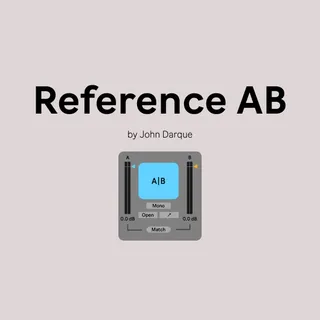
Reference AB
Reference AB is an audio device for Ableton Live built in Ma...
- Type
- Audio Effect
- Author
- johndarque
- Version
- 2.2
- License
- AttributionNonCommercialNoDerivatives
- Live version
- 11.0.12
- Max version
- 8.2.1
- Downloads
- 0
- Updated
- 2022-07-06
Reference AB is an Audio Effect for Ableton Live by johndarque, distributed as Creative Commons Attribution-NonCommercial-NoDerivatives. It targets Live 11.0.12 and Max 8.2.1. First published 2021-12-05, last updated 2022-07-06. 5 user comments below.
New to Max for Live? Read what Audio Effects do, what the AttributionNonCommercialNoDerivatives license means, how to install a device.
Description
Reference AB is an audio device for Ableton Live built in Max4Live by John Darque.
It enables you to compare your mix to reference tracks with a simple click of the A|B button. Just put it on your master buss after all other processing plugins.
You can load one or more tracks and either loop the entire track or a selection. Just Drag and Drop them into the view.
It lets you easily compare your song to other mixes or other mixdowns of your own song.
It's works in a similar way to plugins like Melda Production MCompoare or Metric AB by ADPTR.
The Filter tab lets you compare elements of your tracks in more detail.
You can dial in specific frequencies with the High- and Lowpass filters or use on of the three presets to get started.
Spectogram lets you compare the strength of a signal over time of both your track and your reference next to each other.
Loudness (in beta) gives you some basic loudness metering
and a Level Meter which can be set to 6 different modes:
fast (no ballistics or dB-offset)
VU (attack = 330; release = 330; dB-offset = -20)
DIN 45 406(IEC PPM type IIb) (attack = 10; release = 1500; dB-offset = -14)
BBC (IEC PPM type IIa) (attack = 10; release = 3000; dB-offset = -14)
Nordic (IEC PPM type I) (attack = 5; release = 2000; dB-offset = -14)
EBU Digital (attack = 0; release = 1500; dB-offset = -14)
Waveform visualisation of both Tracks
B Plugin lets you load a VST or AU Plugin which only affects your reference Track. This feature is still experimental.
M1: If you cant load any plugin through the dropdown you have to load them manually via the LoadPath button and selecting the plugin from within your plugin folder which is usually /Library/Audio/Plug-Ins/Components
Comments (5)
It's a mistake?