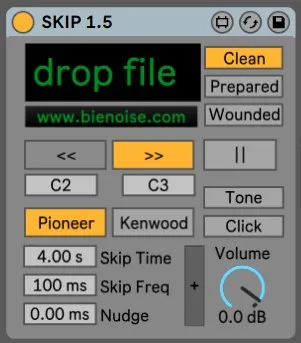
- Type
- Instrument
- Author
- Bienoise
- Version
- 1.5
- License
- AttributionNonCommercialShareAlike
- Live version
- 10.1.18
- Max version
- 8.1.5
- Downloads
- 3,494
- Updated
- No Updates
SKIP is an Instrument for Ableton Live by Bienoise, distributed as Creative Commons Attribution-NonCommercial-ShareAlike. It targets Live 10.1.18 and Max 8.1.5. On maxforlive.com it has 3,494 downloads. Published 2022-07-06. 8 user comments below.
New to Max for Live? Read what Instruments do, what the AttributionNonCommercialShareAlike license means, how to install a device.
Description
Turn every sound into blissfull clicks and cuts with this device, carefully crafted to simulate the skipping and glitching of prepared cds used by artists like Oval, Yasunao Tone and Nicolas Collins.
Comments (8)
very exciting! no support for mp3 though?
love the device!
Will think about bpm sync! Glad you like it.
Thanks for sharing this!
@FreddyFingaz: there's no explicit way to use it as a regular sampler, because the main idea was to model the FFWD behaviour - but if you tinker with the settings you can get something more natural (or not)
@Torley: there you go https://www.youtube.com/watch?v=NB09Tu-2EzE