The Fade by Sxratch
Inspired by the unique rhythmic crossfader motions found in ...
- Type
- MIDI Effect
- Author
- IsotonikStudios
- Version
- 1.0
- License
- Commercial
- Live version
- 10.1.18
- Max version
- 8.1.5
- Downloads
- 0
- Updated
- No Updates
The Fade by Sxratch is a MIDI Effect for Ableton Live by IsotonikStudios, distributed as a commercial (paid) device. It targets Live 10.1.18 and Max 8.1.5. Published 2022-12-20.
New to Max for Live? Read what MIDI Effects do, what the Commercial license means, how to install a device.
Description
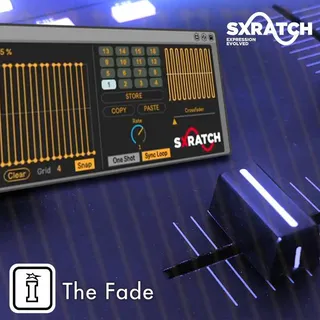
Inspired by the unique rhythmic crossfader motions found in turntablism, TheFade is a MaxforLive MIDI effect which can modulate up to 8 parameters in Ableton Live. This modulation tool can be useful for performance, as a sound design tool or even as a trance-gate style effect.
THE FADE FEATURES:
Bank selection: 16 pattern bank slots for storing different “Fade shapes”.
Fade shape patterns: Fade shapes can be chosen from a library of pre-designed patterns or can be designed from scratch.
Mapping section: Up to 8 parameters in Ableton Live can be modulated at one time, each with their own minimum and maximum values.
Slot triggering: Each of the 16 pattern bank slots can be triggered/selected by incoming MIDI notes or by clicking.
Duration: Each Fade shape has its own duration property which can range from 32 notes down to 1/64th notes.
Trigger-type: Fade shapes can be launched as either one shots or as loops which are synchronised at Ableton’s master clock.
Copy & paste patterns: Fade shape patterns can be copied and pasted between bank slots.
Crossfader Section: The modulation signal can be interrupted by moving the MIDI mappable crossfader slider for manually controlling the on/off state of the signal.