- Type
- MIDI Effect
- Author
- danibleep
- Version
- 2.0
- License
- AttributionNonCommercialShareAlike
- Live version
- 12.0.25
- Max version
- 8.6.4
- Downloads
- 373
- Updated
- 2024-10-04
arm on select is a MIDI Effect for Ableton Live by danibleep, distributed as Creative Commons Attribution-NonCommercial-ShareAlike. It targets Live 12.0.25 and Max 8.6.4. On maxforlive.com it has 373 downloads. First published 2022-12-21, last updated 2024-10-04. 5 user comments below.
New to Max for Live? Read what MIDI Effects do, what the AttributionNonCommercialShareAlike license means, how to install a device.
Description
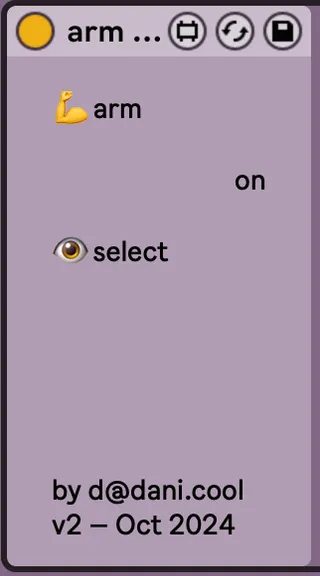
MIDI device that arms the track it's on when that track is selected, and un-arms it when another track is selected. Disabling the device prevents arming changes. There are no other controls! It just does its thing.
There are two other methods I know of that do this:
You may have a controller that does this automatically via its Live integration. For example the Push automatically arms instrument tracks when you select them.
There is also the "-EnableArmOnSelect" hidden preference, but I don't want it to happen all the time so I haven't tried that. If you do then that may or may not work for you.
There may be something else that I'm totally missing! Neither of these were quite right for me, so I made this. Maybe you will find it useful too.
I was going to also upload another device which is this but copy and pasted to an audio device, but I can't see how to upload a new device here any more. Not sure what's going on. I realised as I did this that I might have made just that in the first place, because MIDI tracks can take audio devices too, later on in the chain. But then it's a bit ugly, and this is already what it is.
## Change log
v2.0, 4th October 2024
Now also works in MIDI Effect Racks, with thanks to commenter offthesky. (Sorry I didn't fix this sooner – I guess this site doesn't email me about comments.)
Comments (5)
Thank you for creating this device!
I want to use it on audio track though. Is there a way to unlock that?