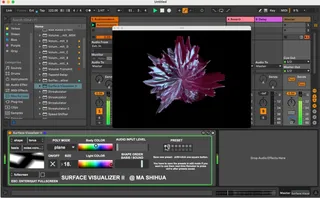
Surface Visualizer
This device can provide you with a convenient audiovisual pe...
- Type
- Audio Effect
- Author
- MAShihua
- Version
- 2.0
- License
- Attribution
- Live version
- 11.0
- Max version
- 8.3.1
- Downloads
- 4,764
- Updated
- No Updates
Surface Visualizer is an Audio Effect for Ableton Live by MAShihua, distributed as Creative Commons Attribution. It targets Live 11.0 and Max 8.3.1. On maxforlive.com it has 4,764 downloads. Published 2023-03-31. 9 user comments below.
New to Max for Live? Read what Audio Effects do, what the Attribution license means, how to install a device.
Description
This device can provide you with a convenient audiovisual performance function. All you need to do is drag and drop it to the Master track of the Live set, select a preset, or adjust a few parameters.
Comments (9)
However:
- 1st start -nothing, just black screen, even with audio input level set to max.
- had a Ableton crash when trying to remove the device from Ableton
- opened it in max and found the slider adjustment by scale 0. 127. 0. 0.2 - after increasing the last argument to 0.5 it is working
- having the meter~ as part of the visualization would help for black screen situations to understand (i did this for my copy)
System: Ableton 11, Max 8 on Windows 11 (all up to date)
Best
Sascha
Mac OS 15.6.1 ,Live 12