- Type
- Audio Effect
- Author
- drumstix
- Version
- 1.1
- License
- Commercial
- Live version
- 11
- Max version
- 8.3.1
- Downloads
- 0
- Updated
- 2024-02-04
Swing is an Audio Effect for Ableton Live by drumstix, distributed as a commercial (paid) device. It targets Live 11 and Max 8.3.1. First published 2024-01-06, last updated 2024-02-04. 6 user comments below.
New to Max for Live? Read what Audio Effects do, what the Commercial license means, how to install a device.
Description
Are you tired of spending time setting up Ableton Live's groove pool only to add a little swing to your clips? This device helps you out!
My Max for Live device is here to help you get stuff done quickly and easily. With my device, you can add swing to your clips with just a click. My device is designed to be intuitive and easy to use, so you can focus on making music instead of getting bogged down in technical details.
Ableton Live's groove pool is awesome. Don't get me wrong! But just a little swing knob makes life so much easier.
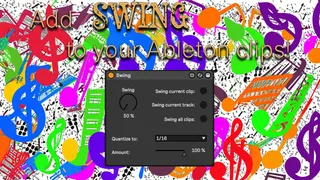
My device works in both the Session view and Arrangement view of Ableton Live. You can choose to apply swing to just the selected clip, to all clips of the selected track, or to all clips. Depending on which view is active, swing is applied to your session clips or to your arrangement clips.
The Swing knob act like the MPC swing knob. So 50% is no swing and 66% is perfect triplet swing. And anywhere in between lies your sweet spot. It goes up to about 75% but you can't really call that swing anymore :D
You can place this device on any track (my preference would be to place it on the master track). Key map or midi map the Swing button(s) and get it swung!
Check this youtube video to see it in action: https://youtu.be/VTtWRz_7oDw
By the way, I'm not in the game to make a profit. I'm just an Ableton Live enthusiast who wants to help other musicians make great music. That's why I'm only charging a small amount of money for my device. I'm using the money to buy the latest Ableton Live upgrade, so I can continue to make music. I hope you'll support me in my quest to get the upgrade.
Comments (6)
On a midi track, the device order would be: midi devices (=midi effects) - midi instruments (that output audio) - audio devices.
So the Swing device will sit in your midi tracks after all midi devices and after the midi instrument if that makes any sense.
If you have a specific use case why it would be a great idea to still have the Swing device as proper midi device, please let me know!
Swing first detects if you're in session or in arrangement view. It will affect session clips only if you're in session view. It will affect arrangement clips only if you're in arrangement view.
So to quickly check if it works in arrangement view:
- make sure you're in arrangement view
- add Swing device to a track (any track, but I prefer the master track)
- set the percentage to about 60%
- make sure "quantize to" is set to 16th
- make sure amount set to 100%
- add an empty midi clip to a midi track
- add sixteenth notes right next to each other in a 16th grid (so 4 sixteenth in one count)
- click the "swing all clips" button.
If you check the sixteenth notes that you've just created you should see that every second sixteenth note is shifted a bit to the right. That's what creates the swing feel.
By the way, Swing also works with audio clips!