JoyDuck Audio-Triggered Envelope Sidechain
What if you wanted to sidechain to an audio track... using a...
- Type
- Audio Effect
- Author
- JXQU3
- Version
- 1.7
- License
- AttributionShareAlike
- Live version
- 12.1
- Max version
- 8.6.4
- Downloads
- 1,426
- Updated
- 2024-08-12
JoyDuck Audio-Triggered Envelope Sidechain is an Audio Effect for Ableton Live by JXQU3, distributed as Creative Commons Attribution-ShareAlike. It targets Live 12.1 and Max 8.6.4. On maxforlive.com it has 1,426 downloads. First published 2024-08-04, last updated 2024-08-12. 6 user comments below.
New to Max for Live? Read what Audio Effects do, what the AttributionShareAlike license means, how to install a device.
Description
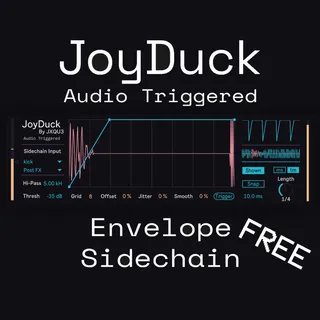
What if you wanted to sidechain to an audio track... using an envelope! This device uses a sidechain input to detect transients and trigger the ducker envelope, similar to DeviousMachines Duck or Kickstart. This device gives full customization over the envelope, offers an oscillometer for the kick, and a lot of settings to customize to perfection! You can also duplicate the device to other tracks without losing the sidechain inputs.
Features:
- Audio-triggered ducking, with adjustable high-pass and threshold.
- Sidechain input from any track, including drum racks
- Cool UI. ;)
- Oscilloscope to see the kick over the envelope.
- Customizable envelope with unlimited points.
- Visualization of volume in three different ways.
Usage:
Select the track and channel to sidechain from under "Sidechain Input". Use the HP (High-Pass) and Thresh (Threshold) knobs to set up the triggering. For most kicks around 5kHz HP and 0.09 Threshold work really good. To add points, Click, to remove them, Shift + Click, to change the curves, Alt + Click. Snap to grid with the "Snap" button. With the "ms" slider set up the lookahead. I recommend 4% smoothing and ~6ms lookahead to prevent clicks.
Watch this tutorial if you want:
https://youtu.be/jXfK3rbr5Ps?si=mNUf63FLwLNPspGN&t=32
Finally, if you have any issues, DM me on Discord: @jxqu3 , I'll be glad to help you.
If you use this I would deeply appreciate if you followed me on YouTube or Spotify
https://www.youtube.com/channel/@JXQU3
https://open.spotify.com/artist/2pdUGHioFEsL9VTCCaYt03
Updates:
- 1.1: Improved design, trigger on load (to fix a bug), added button to manually trigger the envelope, added toggle to hide or show the sidechain waveform.
- 1.2: The sidechain oscilloscope is now precise on any tempo, rate or time.
- 1.3: Added lookahead for better sync, organized patcher and overhauled UI.
- 1.4: Color improvements for compatibility with more themes, added info to parameters for easier understanding, improved default values.
- 1.5: Changed "Rate" to "Length" for easier understanding. Added a way to visualize the High-Passed sidechain for easier setting.
- 1.6: The threshold can now be set as a gain slider, where you can see the signal, making it a lot easier to set properly, in a more intuitive way.
- 1.7: Extremely important bug fix.
Made using Shaper from Ableton and M4L.
Comments (6)
It's cool but I really think the "points" on the curve grid could be better.
I can't seem to delete a point or bend between two. I could be going about it wrong but if I messed up, I had to start fresh again.
I have a few devices that you can double click/right click and the point deletes. Think it's a ctrl or shift drag on a point bends it into an arc.
Rob
https://youtu.be/jXfK3rbr5Ps?si=mNUf63FLwLNPspGN&t=32