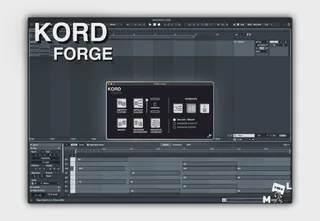
KORD Forge - chord editing and generating
Introducing KORD Forge, a toolkit focused on creating and mo...
- Type
- MIDI Effect
- Author
- machinelies
- Version
- 1.0
- License
- Commercial
- Live version
- 12.0.5
- Max version
- 8.6.2
- Downloads
- 0
- Updated
- 2025-03-19
KORD Forge - chord editing and generating is a MIDI Effect for Ableton Live by machinelies, distributed as a commercial (paid) device. It targets Live 12.0.5 and Max 8.6.2. First published 2025-02-18, last updated 2025-03-19. 3 user comments below.
New to Max for Live? Read what MIDI Effects do, what the Commercial license means, how to install a device.
Description
Introducing KORD Forge, a toolkit focused on creating and modifying chords. Whether you’re a beginner exploring chord theory or an advanced producer looking for innovative harmonic possibilities, KORD Forge has something for you.
Most of the actions available in **KORD Forge** rely on selecting notes, either single notes when generating new chords or multiple notes when modifying existing chords. There's an intelligent
chord detection algorithm in place, which allows applying any of the actions when you select multiple chords at once!
Key features in **KORD Forge:**
**Smooth voicing** - Simplify the chord arrangement to make them flow smoothly between each other, creating cohesive and natural-sounding harmonies.
**Spread voicing** - Expand the notes of a chord, making your chords less dense and dissonant.
**Invert** - Modify the voicing of the chord, inverting the order of the notes.
**Reverse inversions** - When the chord is known and the voicing of the chord is in a recognized inversion, **Reverse Inversions** will return the chord to the root voicing.
**Negative Harmony [*Key required*]** - Dive into the fascinating world of negative harmony. Flip chords around a tonal axis to produce symmetrical, yet surprising, harmonic movements.
**Generate** new chords by drawing out the root notes in a midi clip. You can generate triads, tetrads or simply add extensions. The generation is affected by the selection of one of three options, Major/Minor, Random Quality or Random Chord.
Comments (3)