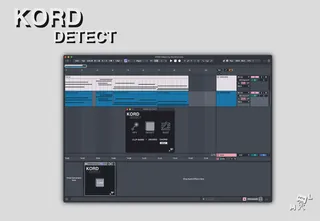
KORD Detect - chord naming
Introducing KORD Detect, a Max for Live device which lets yo...
- Type
- MIDI Effect
- Author
- machinelies
- Version
- 3.0
- License
- Commercial
- Live version
- 12
- Max version
- 8.6.2
- Downloads
- 0
- Updated
- 2025-12-18
KORD Detect - chord naming is a MIDI Effect for Ableton Live by machinelies, distributed as a commercial (paid) device. It targets Live 12 and Max 8.6.2. First published 2024-10-22, last updated 2025-12-18. 2 user comments below.
New to Max for Live? Read what MIDI Effects do, what the Commercial license means, how to install a device.
Description
Introducing KORD Detect, a Max for Live device which lets you figure out which chords are being played in a midi clip.
Just select a midi clip in arrangement or session view and press Detect, the clip will be renamed with the chords found in the harmonic analysis. If you wish to have the midi clip sliced by chord, just toggle on the Slice option.
Toggle the Key option to add the key the chord is in, this option will also show the position in terms of Modes that the chord has.
Comments (2)