a better search for max devices
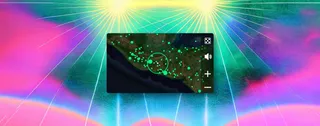
Radio Garden screenshot

Radio Garden

by wavefolded

Dive into the world of live radio from every corner of the g...

View on maxforlive.com

Type
Audio Effect
Author
wavefolded
Version
1.2
License
None
Live version
12.2
Max version
9.0.5
Downloads
2,204
Updated
2026-03-29

Description

Dive into the world of live radio from every corner of the globe without ever leaving your DAW. This device streams Radio Garden directly inside your Ableton session, turning real-time broadcasts into instant sampling inspiration. Just add effects and resample atmospheric textures to your hearts content. Max 9 and Ableton 12.2 needed. Visit Radio Garden here: http://radio.garden

See my other devices at wavefolded.gumroad.com

Comments (13)

  • frz · April 03 2025
    "jweb~: jweb~: no such object" …
    Too bad, I was interested…
  • wavefolded · April 03 2025
    Yeah you gotta be on Ableton 12.2 beta at the moment since it comes with Max 9 instead of 8. I’m sure the release version will be out soon.
  • boink · April 03 2025
    Legend. If you do more would be cool to see Thelot or Radiooooo, think the latter is sub now though.
    Thanks for both.
  • wavefolded · April 03 2025
    Hey mate, great idea! I've created a Lot Radio device here: https://maxforlive.com//library/device.php?id=12286
  • markh · April 13 2025
    Great idea. Dont have Live 12.2 yet so cant test. Does the device work in the UK because the radio garden webpage doesnt.
    Mark
  • djjacinto · April 22 2025
    I am very interested on this but this error appears jweb~: . Someone knows anything? . :/
  • RRR · April 28 2025
    @djjacinto: literally nobody knows anything about this. So sorry :/
    (@wavefolded: eagerly awaiting the stable release of 12.2, thanks a lot for this device!)
  • Foudjozinho219 · June 22 2025
    I am unable to save it in Abelton :/
  • djbdjbdjb · December 01 2025
    hi!
    lovely device
    as of live 12.3 there is a cookie information screen, i can click on the terms and conditions and open an external website.
    But i can not figure out how to accept the cookies and then use the device, so its currently not working for me.
    Any idea how to fix this?
    Also checked on the ableton and max discords
    thanks!
  • vromr · January 30 2026
    TO USE: Click plugin window's top-right corner
    "… > Open in Max".
    It should now work just as it does on the website.
  • vromr · January 30 2026
    … > Edit in Max
  • Sands · March 12 2026
    This device is a great idea. Does anyone know if it will be updated for Live 12.3+? I've tried all the problem-solving above, but still can't get it to work. It's got to the point where I've lost the [Consent] and [Cancel]buttons. I'm pretty sure the issue lies in incompatibility since im upgrated on both Ableton and Max up to the newest versions.
  • wavefolded · March 28 2026
    Hey @everyone. I've updated this device to auto-bypass the splash screen which then loads to a completely random station anywhere in the world. I've also added a random station and mute button and removed some of the other native controls which don't work in Max for Live. Sorry the update took so long, this was an experiment I did when Ableton 12 was released and it's gone neglected. Hopefully it works for you all now.

← Back to search