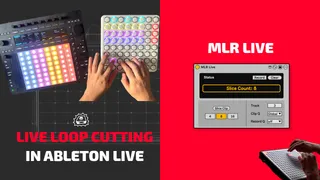
MLR Live
Live Loop Cutting Monome Style This technique, originatin...
- Type
- Audio Effect
- Author
- JudaBaduda
- Version
- 0.00000001
- License
- None
- Live version
- 12.2
- Max version
- 9.0.3
- Downloads
- 0
- Updated
- 2025-07-07
MLR Live is an Audio Effect for Ableton Live by JudaBaduda, distributed as freeware, with no license specified by the author. It targets Live 12.2 and Max 9.0.3. Published 2025-07-07. 1 user comment below.
New to Max for Live? Read what Audio Effects do, how device licenses work, how to install a device.
Description
Live Loop Cutting Monome Style
This technique, originating in the early to mid-2000s, was created by Brian Crabtree (Tehn) and pioneered by artists like Daedelus.
In Ableton Live, we can recreate this approach by slicing a clip and using Follow Actions.
This Max for Live device makes it easy: instantly slice a clip into 4, 8, or 16 sections with one click—and record your live loop-cutting performance.
Fully compatible with Push.
FEATURES
- Record/Playback Live Loop Cutting
- Quick Clip Slicing to 4, 8, and 16 slices
- Auto Track Focus
- Clip Launch Quantization
- Operation Quantization
- PUSH Control
SETUP
1.Load a clip onto a track in the Session View and highlight it
2. Select how many slices you want and hit Slice Clip
3. Set Clip Q to your preference (1/8 or 1/16 recommended)
4. Highlight all clips and hit CMD+SHIFT+ENTER (CTRL+SHIFT+ENTER) to enable Follow Actions
5. If using a generic controller (not PUSH or similar) Enter Mapping Mode with CMD+M (CTRL+M) and map each clip to different button/note
See video for more info: https://youtu.be/2Yg2TSyWmqs
Comments (1)