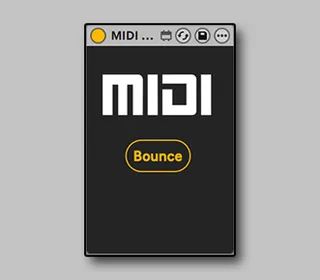
MIDI Bounce
Speed up your workflow Capture MIDI Effects into a new MI...
- Type
- MIDI Effect
- Author
- JudaBaduda
- Version
- 1.5
- License
- Commercial
- Live version
- 12.2.1
- Max version
- 9.0.7
- Downloads
- 0
- Updated
- 2025-07-28
MIDI Bounce is a MIDI Effect for Ableton Live by JudaBaduda, distributed as a commercial (paid) device. It targets Live 12.2.1 and Max 9.0.7. First published 2025-07-23, last updated 2025-07-28. 14 user comments below.
New to Max for Live? Read what MIDI Effects do, what the Commercial license means, how to install a device.
Description
Speed up your workflow
Capture MIDI Effects into a new MIDI clip with only one mouse click!
This utility device will automatically:
1. Create a New Adjacent MIDI Track
2. Route New Track MIDI From Original Track
3. Start Recording to New Track at the Right Length
4. Auto-Disable/Delete the MIDI Effects on original track
5. (Session View) Copy clip back to original Track
6. (Session View) If “Delete Temp?” is Selected - Auto Delete Temp Track
FEATURES
- Place on any track (even the Main Track to include in your template)
- One mappable Button for MIDI Bounce
- Auto Routing
- Quick Real-Time Bounce in 999BPM
- Auto-Disable/Delete MIDI Effects on Original Track
- Auto Length Recording for both Session & Arrangement Views
- Automatic Deletion of Temporary Track (Session View)
Ableton Suite 10 or newer
Demo & Tutorial: https://youtu.be/88l_T-jIHFE
CHANGELOG
1.5
- Added a Settings section
- Added 999 BPM toggle
- Added Auto-Play of bounced clip (Session View)
- MIDI Effects are now automatically disabled
1.4
- New MIDI Plugin mode to bounce MIDI from plugins like Cthulhu, Scaler etc.
1.3
- Added the option to auto-delete all midi effects on original track
- Fixed an issue where the device didn’t work properly when loaded on an individual track and not on the Main Track
- Minor visual Improvements
1.2
- Place the device on any track, MIDI/KEY map the bounce button and bounce the currently focused clip
-Added PUSH Control
1.1
- During Bounce project jumps to 999 BPM to speed up the bounce process
Comments (14)
You're better off just adding a new "MIDI Print" track and choosing the input yourself.
Wasted $5.
Please let me know if you have any other issues.
I'm happy to send you a screengrab of the issues if it's helpful.
If they do, please feel free to email me [email protected] and hopefully we can solve them.
This might be a good feature to add in the next update. Just another toggle with a bar length or something like that.