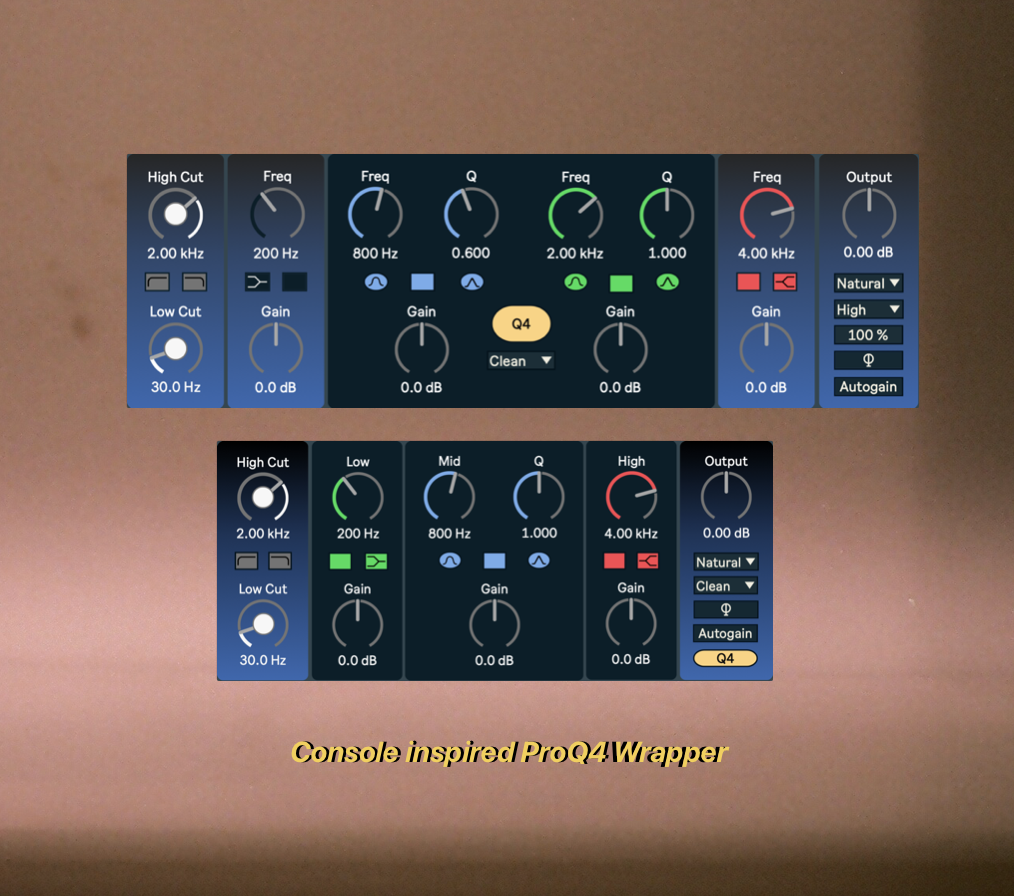
Fabfilter ProQ4 Wrapper - Style
Console inspired Wrapper for ProQ4 These wrap...
- Type
- Audio Effect
- Author
- Maschu
- Version
- 40001.3
- License
- None
- Live version
- 12.0.5
- Max version
- 8.6.2
- Downloads
- 0
- Updated
- No Updates
Fabfilter ProQ4 Wrapper - Style is an Audio Effect for Ableton Live by Maschu, distributed as freeware, with no license specified by the author. It targets Live 12.0.5 and Max 8.6.2. Published 2026-01-02.
New to Max for Live? Read what Audio Effects do, how device licenses work, how to install a device.
Description
Console inspired Wrapper for ProQ4
These wrappers turn FabFilter’s Pro-Q 4 into an analogue console EQ inside Ableton Live. Each model reproduces the exact response of classic studio hardware — its curves precisely measured and recreated in Pro-Q 4, and its interface designed in the spirit of the originals. Stepped versions are included wherever the hardware featured them, ensuring truly authentic operation.
You can, of course, still make full use of Pro-Q 4’s advanced features — simply click the yellow button to open the plugin window. Any changes you make inside the plugin are instantly mirrored in the wrapper, and vice versa.
Furthermore, all models include a MIDI Connector device. Simply drop it onto any track in your Live set, map it once to your preferred MIDI controller, and you’re ready to go. From then on, your controller will automatically control whichever instance of the wrapper is currently selected. Go ahead — mix with your eyes closed!
Available models
4000 – all the detail you’ll ever need.
73 – very broad curves, perfect with Pro-Q’s warm mode to get that “iron” sound.
550 – also broad, but finer than the 73. Flip between shelf and bell filters.
Patch Notes
v1.0 – Initial release
v1.1 – GUI update. Wrapper now adapts better to different Live versions.
v1.1 – Now includes model "4000S", a smaller version of the wrapper.
v1.2 – Midi Connect Update.
v1.3 - The numboxes now function as intended, allowing direct entry of any frequency value.
Dragging within the numbox, however, cannot be implemented reliably. Please use the dial for dragging instead.
Both the low-cut and high-cut dials now include a convenient stepped button, enabling you to cycle through a set of relevant preset frequencies.