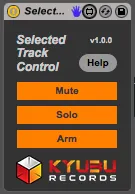
Selected Track Control by Kyubu Records
Selected Track Control is a simple utility device that allow...
- Type
- Audio Effect
- Author
- withakay
- Version
- 1.0.0
- License
- AttributionNonCommercialShareAlike
- Live version
- 9.1.1
- Max version
- 6.1.4
- Downloads
- 1,116
- Updated
- 2014-04-07
Selected Track Control by Kyubu Records is an Audio Effect for Ableton Live by withakay, distributed as Creative Commons Attribution-NonCommercial-ShareAlike. It targets Live 9.1.1 and Max 6.1.4. On maxforlive.com it has 1,116 downloads. Published 2014-04-07. 5 user comments below.
New to Max for Live? Read what Audio Effects do, what the AttributionNonCommercialShareAlike license means, how to install a device.
Description
Selected Track Control is a simple utility device that allow you to control the Mute, Solo and Arm functions of the selected track in Ableton Live via key commands or midi mapping.
Comments (5)
Been reading 50 pages of devices, 10 per pages, to find your device!
It fills the non-understandable lack of KB shortcuts in Live for these simple & basic functions (mainly the solo button for me).
I began asking for this on Ableton's forum 10 years ago for several years, but unfortunately they don't care about these simple requests.
Thank you.
To be perfect i just wish it work with minimized tracks. Here it work just when all tracks are opened, with big vertical zoom.
And i wish it works with exclusive solo slso.
but thank you!