- Type
- MIDI Effect
- Author
- RyanRitchie
- Version
- 1.0
- License
- Attribution
- Live version
- 9.1.6
- Max version
- 7.0.1
- Downloads
- 579
- Updated
- No Updates
OP-1 MIDI is a MIDI Effect for Ableton Live by RyanRitchie, distributed as Creative Commons Attribution. It targets Live 9.1.6 and Max 7.0.1. On maxforlive.com it has 579 downloads. Published 2014-12-25. 2 user comments below.
New to Max for Live? Read what MIDI Effects do, what the Attribution license means, how to install a device.
Description
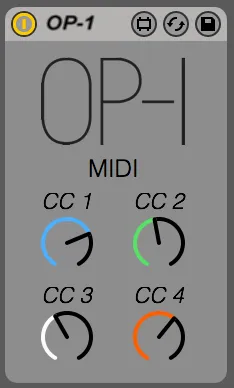
Simple MIDI device to control various parameters of the Teenage Engineering OP-1 synth.
Assign the MIDI LFO to your instrument within the OP-1 and the devices dials within Live will control assigned parameters.
Merry Christmas!
I'm enjoying my new OP-1, hope you enjoy yours.
Thanks for the download!
-Ryan
Comments (2)
many thanks
TRI MINH
1. Connect OP-1 to computer via USB cable.
2. Turn on OP-1 and open Ableton.
3. Open preferences, MIDI Sync, and turn on remote for OP-1 on the output port. (turn on any other settings you wish to use)
4. Load OP-1 Max For Live device (the one from this page) onto a MIDI channel.
5. Set 'MIDI To' to OP-1 and select correct MIDI channel. (MIDI Channel received can be changed on OP-1 by pressing shift and com then holding shift and rotating the blue encoder)
6. On OP-1 select instrument you wish to control, then press shift and 4 and load the 'MIDI' LFO.
7. The max for live device should now control the 4 'CC' controls.
8. Set the CC controls to which parameters you wish to control by turning the encoders or holding shift and the encoders to change their destination.
Note: Some parameters are only affected through certain control ranges. Try playing with the Max device to see the range it controls.