SuperScaler - The return of POLYSCALE
SuperScaler is a Max for Live MIDI effect pair for central h...
- Type
- MIDI Effect
- Author
- gadbaruch
- Version
- 2.0
- License
- AttributionNonCommercialShareAlike
- Live version
- 12.2.7
- Max version
- 9.0.8
- Downloads
- 5
- Updated
- 2026-04-06
SuperScaler - The return of POLYSCALE is a MIDI Effect for Ableton Live by gadbaruch, distributed as Creative Commons Attribution-NonCommercial-ShareAlike. It targets Live 12.2.7 and Max 9.0.8. On maxforlive.com it has 5 downloads. First published 2015-03-24, last updated 2026-04-06. 26 user comments below.
New to Max for Live? Read what MIDI Effects do, what the AttributionNonCommercialShareAlike license means, how to install a device.
Description
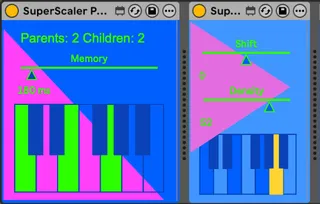
SuperScaler is a Max for Live MIDI effect pair for central harmonic control.
Use SuperScaler Parent to capture a chord, note set, or progression from live playing or a MIDI clip. Then place SuperScaler Child on any other MIDI track and it will remap incoming notes to the nearest notes from the Parent's current harmony.
This makes it easy to improvise safely over changing chords, reharmonize multiple loops from one place, or drive generative MIDI through a controlled harmonic center.
Examples:
- Feed a chord progression clip into the Parent and solo freely into a Child on another track.
- Put Children on bass, arp, lead, and keys tracks, then change the harmony for the whole arrangement from one Parent track.
- Put an arpeggiator or random note source before a Child to keep experimental patterns inside a chosen harmonic world.
SuperScaler keeps the shape and register of your MIDI ideas, while bending them into the harmony you choose.
Comments (26)
My set-up:
Windows 7 64 bit 8GB RAM
Ableton 9.1.7
Max for live 6.1.9
Many thanks
thank you for your message.
we created special max objects for this patch, and there are different ones for windows and mac, this might be the problem.
please download this file https://www.dropbox.com/s/djkufm0aa0t2akc/ASCTScaler.zip?dl=0
unzip, and use the content to replace the files with the same name
located in your max "externals" library.
im not sure how to do this on windows but you should be able to figure it out.
the files ending with .mxe and .mxe64 extensions, are supposed to work for windows. please let me know if this works for you.
good luck!
Gad
C:\Program Files\Cycling '74\Max 6.1\Cycling '74\m4l-externals
(I also added the files to all the other externals directories just in case)
I didn't overwrite any other files as I had no other copies of the .mxe and .mxe64 ASCT files in any of those directories. Does the device need to be rebuilt in some way to account for these new files - would placing them in that directory be enough?
My Max knowledge is limited to just using the devices at the moment - but happy to help if I can.
Thanks!
we will work to fix the problem and will inform you through the newsletter u signed up for when we have a working version for windows.
best wishes
Gad
Was this just updated on April 3rd? Will you be sending out an update link via email? Because I've already offered my name/email address when I first downloaded it.
Thanks
J
thank you so much for helping to figure this out!
we will send a mail soon.
if anybody is reading this and has the slave device crash live,
please write here your full OS and software versions.
we are also putting together a short tutorial in the next days
so if you gave us your email we will be in contact soon
Thanks again!
Gad
here is a tutorial.
https://youtu.be/sGSFRshCQE0
my system:
windows 7
Max 7.3.0
Live 9.7.3
I just subscribed to the newsletter, is there any way I can make this work, it seems to fit exactly what I want to do.
cheers
ovrdr
Not sure i can solve this but lets have a go.
Meanwhile. if you like my tools, please try my new music app:
POLYJAMER (only for iOS atm)
www.polyjamer.com
Stay blessed.
Gad
I tried several Scale send/filter systems but i want to feed the master scale in real time with 3 random pitch/rythm notes, and your device seems to be perfect for this...
please tell me if you come up with a solution for the crash in windows with the filter device (ASCTscaler file?)...
thx for the nice work
+++
(and polyjamer is not available for me yet since I'm a pc user , would love to try it though...)
This is still my all time favorite device.
Can make a chimp on a keyboard (or even me) sound like Mozart.
"Please make this Apple Silicon compatible"
Doesn't work on current MAC OS
Since this release I have worked on a bunch of unique music products, and now im gonna release a whole bunch of stuff this year, so if you like Polyscaler, you gonna like me other and new work hopefully. To stay in touch for updates and such, join my new Discord! https://discord.gg/d3UF55e7