Mixdown Restore
This tool allows you to store and restore your complete mixd...
- Type
- Audio Effect
- Author
- CharlyBeck
- Version
- 1.0
- License
- None
- Live version
- 9.6
- Max version
- 7.2.1
- Downloads
- 407
- Updated
- 2016-03-28
Mixdown Restore is an Audio Effect for Ableton Live by CharlyBeck, distributed as freeware, with no license specified by the author. It targets Live 9.6 and Max 7.2.1. On maxforlive.com it has 407 downloads. Published 2016-03-28.
New to Max for Live? Read what Audio Effects do, how device licenses work, how to install a device.
Description
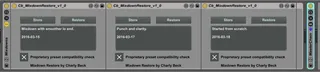
This tool allows you to store and restore your complete mixdown. Such a mixdown preset contains volume, panning, sends, mute and all plugin parameters of all tracks - except the master track - where the device is intended to be placed.
Attention! Be sure to understand this to avoid messing up your mix. In any case make backups of your mixes before using the tool.
There is one drawback in this version: Once you store a preset you can not modify the tracks and device structure. Of course you can change parameters such as volume but you must not add or delete tracks. plugins or plugin parameters. Doing so may cause a mess in restoring the parameters. I implemented a proprietary compatibility check to avoid this but still it's not 100% save: If you replace a plugin by another one which by accident has the same number of device parameters the compatibility check will not detect this and the parameters of the deleted plugin will be restored into the newly added plugin.
This will have unpredictable results.
Tip:
When you use devices which dynamically create device parameters - for example adding a band to a graphical eq - you will also loose compability of your mixdown preset. So before you start mixing you should have ready all device plugins and set up such eqs for example to have 10 bands all at 0db. This should be enough to create several mix downs and compare them.