- Type
- MIDI Effect
- Author
- dric
- Version
- 1.3
- License
- Attribution
- Live version
- 8.1.5
- Max version
- 5.1.8
- Downloads
- 3,928
- Updated
- 2012-02-25
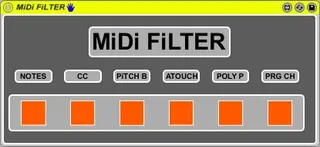
MiDi FiLTER is a MIDI Effect for Ableton Live by dric, distributed as Creative Commons Attribution. It targets Live 8.1.5 and Max 5.1.8. On maxforlive.com it has 3,928 downloads. First published 2010-08-17, last updated 2012-02-25. 12 user comments below.
New to Max for Live? Read what MIDI Effects do, what the Attribution license means, how to install a device.
Description
Simple Midi Filter.
1.2 Bug note off fixed.
1.3 I add "prgm change" filter Button.
Comments (12)
I do not have Max for Live. I am going to install it. But before i do so, i had some questions since you have worked on the midi devices in Max.
What i want to do is send Sys Ex msg'es (to send prog cc & bank changes to external devies-like keyboards) in Clips so that i change sounds on my keyboards when i enable the clip in live sessions.
Will i be able to do this or create such a thing using Max?
DO you have a work around sol for this?
Any help will be grateful
Thanks
would it be possible for you to add a list (maybe as a floating window that can be opened) with all the 127 MIDI CCs and add checkmarks before them to quickly disable one or several of them and get an overview of what controller is disabled and what not? I would like to let only some of the CCs pass but need a list with all the CCs to disable one or several of them. Thx!
Thanks für creating and offering this device. Does your device offer the option of filtering MIDI messages with a specific channel only? What I’m looking for is the ability to “listen” to “All” MIDI channels on a track, but filter out all note messages coming from a specific attached keyboard controller. This would give me the ability to use my e-Piano to trigger the notes on the instrument on the respective track, while being able to make use of the wheels and knobs of another attached controller, without having the latter trigger the notes of the instrument on the track.
I hope you get what I mean. Thanks for considering!
Best LV