- Type
- Audio Effect
- Author
- dric
- Version
- 1.5.1
- License
- Attribution
- Live version
- 8.2.1
- Max version
- 5.1.8
- Downloads
- 11,065
- Updated
- 2012-06-26
MicroLoops is an Audio Effect for Ableton Live by dric, distributed as Creative Commons Attribution. It targets Live 8.2.1 and Max 5.1.8. On maxforlive.com it has 11,065 downloads. First published 2010-10-20, last updated 2012-06-26. 15 user comments below.
New to Max for Live? Read what Audio Effects do, what the Attribution license means, how to install a device.
Description
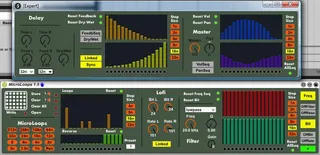
Simple Micro loops with sequencer and presets.
Learn the buttons loops with controller.
You can press some microloops buttons at the same time (with controller or automation in live) but if you release one Button, all microloops Are stopped.
Reverse work only for microloops not for the playback.
For Store, if you ave a problem with button "store" you can "shift and click" on preset.
You can automated preset in live.
Enjoy!
(ps:It is my first audio patch, be indulgent and escuses for my english.)
:)
0.6: some corrections of preset Automation
1.0: I add filter and Lofi + Seq for them.
1.0.1: some corrections.
1.1: I add Resonance ant Bit sequencer
1.1.1: Bug menu Filter Fixed
1.5 : i add Delay and Master volume, pan and Sequencer for them
1.5.1 : The volume was lower than the original volume of the track, i corrected this.
Comments (15)
thanks thanks thanks
I just realized that the volume is a bit lower, if you switch the patch on, even if no effect is working ...
hello bassfucker, Yes it is true indeed, I am soon going to correct it.
But how do i map microloops to controller?
Midimap in ableton doesnt let me do it. Just some parameters but not the little white dots of 'saved loops'...?
gotta map key range to tiny preset dropdown.
works perfect now with midi fighter :-)
thank you
Guess it's the Max update, but Ableton doesn't save the multislider settings, neither when saving them in the preset object.
Tried a lot of options, but can't seem to get that working..