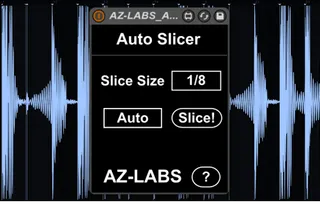
Auto Slicer
** We have updated Auto Slicer to Ver. 1.1.0. Also, check ou...
- Type
- MIDI Effect
- Author
- marktakeshi
- Version
- 1.1.0
- License
- Commercial
- Live version
- 9.6
- Max version
- 7.0.4
- Downloads
- 4
- Updated
- 2016-09-03
Auto Slicer is a MIDI Effect for Ableton Live by marktakeshi, distributed as a commercial (paid) device. It targets Live 9.6 and Max 7.0.4. On maxforlive.com it has 4 downloads. Published 2016-09-03. 2 user comments below.
New to Max for Live? Read what MIDI Effects do, what the Commercial license means, how to install a device.
Description
** We have updated Auto Slicer to Ver. 1.1.0. Also, check out the new Drum Rack Control device from the Simpler-Tools Series! **
=============================
Cut your loops automatically in equally sized slices!
Ableton Live’s new Simpler has a great transient detection mechanism that automatically cuts your samples into meaningful slices. But, haven’t you sometimes wished that you could tell Simpler to just chop your loop into straight 8th or 16th? The “Auto Slicer” device does exactly that.
=== Key Features ===
* Have Simpler cut your loop into equally sized slices from lengths of 1 bar to 1/32nd
* Choose between manually triggering the Auto-Slice function or having the slices adjusted whenever you load a new sample or change the Start or End marker in Simpler
* All functions are MIDI- and Key-mappable
* Works great in combination with the Simpler-Tools “Slices to Notes” and “Slice Control” devices
=== 1.1.0 Release Notes ===
Bugfix: Using “Auto Slicer” while recording a clip would record Automation for this device, which would create issues, once the Automation is played back.
Comments (2)
I have to warping a lot of mp3 12 inches of the 70's and 80's.
These pieces were played by drummers and not drum machines.
This for me requires a lot of my little time available.
Warp markers are not always perfect and sometimes, they are not in one of the 4 strokes. Can this device help me? If yes and how? Is this task automatic? Or an indispensable manual help?
Thank you for the reply.