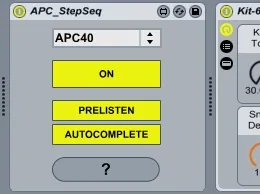
APC Step Sequencer by Mark Egloff
The APC Step-Sequencer converts the Akai APC40 or APC20 into...
- Type
- MIDI Effect
- Author
- marktakeshi
- Version
- 1.1
- License
- AttributionNonCommercialShareAlike
- Live version
- 8.2.3
- Max version
- 5.1.8
- Downloads
- 13,134
- Updated
- 2011-08-30
APC Step Sequencer by Mark Egloff is a MIDI Effect for Ableton Live by marktakeshi, distributed as Creative Commons Attribution-NonCommercial-ShareAlike. It targets Live 8.2.3 and Max 5.1.8. On maxforlive.com it has 13,134 downloads. Published 2011-08-30. 21 user comments below.
New to Max for Live? Read what MIDI Effects do, what the AttributionNonCommercialShareAlike license means, how to install a device.
Description
The APC Step-Sequencer converts the Akai APC40 or APC20 into a full-featured step sequencer. To use, simply load the device onto a MIDI track, create a clip and then drop in an instrument (it's optimized for use with Drum Racks.) The APC-Step-Sequencer automatically configures your connected APC40 or APC20.
After connecting, the top four rows of the APC's button matrix toggle 32 steps of a MIDI clip on or off, while the Clip Stop buttons and Cue Level dial allow you to quickly switch between the different sounds in your Drum Rack. Many of the APC's other controls are also reconfigured. The "?" button launches built-in documentation that details how everything works.
Watch the Introduction-Video in the link below.
Special thanks to Akai Professional and Shane Hazleton for their support! Visit the official APC-website @ www.apc40.com
Also, check out the following APC devices:
- APC FX Sequencer: http://www.maxforlive.com/library/device.php?id=879
- Beat Indexer by Shane Hazleton Akai Professional: http://www.maxforlive.com/library/device.php?id=880
=== Release Notes ===
v1.1:
- fixed a bug where the visual feedback for triggered sounds wouldn't work after having updated to Max 5.1.8
Comments (21)
mbp, osx 10.7.2, live 8.2.7, max 5.1.9, apc 40
I have Ableton Live 8.3 and the last Maxforlive 5 and imac intel core i5 10.6.8
I want to install the Livepack APC Step Sequencer by Mark Egloff.alp and when I try it one message appears:
The installation of APC Step Sequencer Live Pack by Mark Egloff failed (Can not create the folder "Step Sequencer APC by Mark Egloff" in "/ Users / imac / Library / Application Support / Ableton / Library / Presets (MIDI Effects / MIDI Max Effect /. "Do you want to continue installing the rest of the Live packs?
continue No
I press continue and nothing happens
Do you know how can i install this ableton live pack,is the first that i can not install;i don,t know what happens?
not compatible with version 8.3 of Ableton?
Regards
all this without changing the master tempo ... if you live in ableton 120 bpm, the APC should go to 240 bpm to increase the number of steps per beat .... I've tried but I have not been able to ..
I have the same problem as balint. This device is GREAT for my workflow and I have been thinking of programming something like it myself for ages, but none of the "shift" functions work at all. Any idea what causes this bug?
Thank you!
Another suggestion: 1) it would be great, for instance, if we just press shift and the stop buttons selected the second chain of 8 sounds. 2) some way for us to choose between different grooves from the apc. 3) if we had the option to limit the knob to the 16 sounds of the average drum racks.
Thank you!
/Micke
The sequencer disdnt have the lights going nor did the apc20 move out clip/session view.
I resetted the APC20, restarted, unmidi'd the apc 20 from ableton - nothing.
Same thing happened last night. Worked once then unable to to retrieve.
Anything else I can try?
Is there a specific order to turning on i.e, computer THEN APC 20 THEN Ableton, THEN Step sequencer?
I know its optimised for drum racks. Can I use it for Synths (Operator or 3rd party) or maybe thats the whole problem?
first of all: great tool! It does help me alot when im performing live. But i recognized one problem:
When i use the step seq. and add for example one hi hat note to my drum roll, all velocities go up to the maximum. So all my velocity presets are destroyed.
Is this a common problem?
I use:
Windows 7
Ableton live 9
Thanks in advance!
Cheers
Thankyou
all the best !!
I'm trying to adapt it for the APC key 25, have you got an idea on how to do it easily?
Thank you for answering
great work
could you adapt it for the APC 25 key?
Thks
This is would be really, really awesome to get this for the APC key 25!
Could you port it and/or make it support the APC key 25?
Thanks!