- Type
- MIDI Effect
- Author
- MaxIma
- Version
- 0.2.1
- License
- AttributionNoDerivatives
- Live version
- 10.0.1
- Max version
- 7.3.5
- Downloads
- 727
- Updated
- No Updates
Batchelor is a MIDI Effect for Ableton Live by MaxIma, distributed as Creative Commons Attribution-NoDerivatives. It targets Live 10.0.1 and Max 7.3.5. On maxforlive.com it has 727 downloads. Published 2018-08-11. 7 user comments below.
New to Max for Live? Read what MIDI Effects do, what the AttributionNoDerivatives license means, how to install a device.
Description
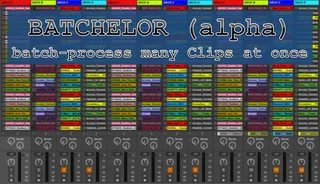
Batch-process Clips in Live
================
Do you have a Live set with hundreds or even thousands of clips and ever wanted to apply a certain action (e.g. change color, rename, delete, move, change length, etc.) to many clips at once? Batchelor (alpha) might be (soon) the right device for you.
How it works:
1. Select all clips you want to manipulate based on:
- Name (or parts of it including wildcards)
- Color
- Type (Midi, Audio)
- Length
- Location (Tracks, Clip Slots)
- Manual Selection (with by mouse)
- tbd (based on your feedback)
2. Select what kind of action you want to apply:
- Rename (incl. replacing only parts of the clip-name, adding Track-Name, Clip-Slot names the clips are in, etc)
- Change Color
- Change length (absolute or adding/subtracting time)
- Delete
- tbd (based on your feedback)
This is an early alpha and hasn't been really tested well. Just send me some feedback (whether it works, what kind of features you need, the workflow you would be using it in, etc.). Just leave a comment.
Have fun!
Comments (7)
this sounds greatè Unfortunately I am unable to open it both in Max 8 and Live 10.0.2. I'm on OS X 10.3.6. When dragging it over both audio and midi track in Live I get the forbidden sign and double clicking it in the Live browser doesn't do anything. Same happens when I open it from Finder, Max 8 launches, but the patch doesn't open.