- Type
- Instrument
- Author
- spiralune
- Version
- 3.13
- License
- None
- Live version
- 10.0.1
- Max version
- 8
- Downloads
- 898
- Updated
- 2019-07-21
Many-Sample MIKADO 2019 V- is an Instrument for Ableton Live by spiralune, distributed as freeware, with no license specified by the author. It targets Live 10.0.1 and Max 8. On maxforlive.com it has 898 downloads. First published 2019-03-13, last updated 2019-07-21. 14 user comments below.
New to Max for Live? Read what Instruments do, how device licenses work, how to install a device.
Description
cool thank you "" jiangxitong""
thanks to you everything will stay free
-------------------------------------------------
New v 3.1
repair Bug with Push
and Add new 3 Bank Knob For use with Push
best workflow within DrumRack
-----------------------------
News V 3
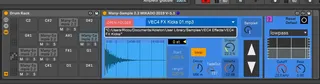
Sampler Instrument & Drum sampler
Only Work in Live 10 & integrate max 8
---------------------------
add fade out fine tune
add filter section
and now work with long samples & Track Mp3
**(( recall = only one sample it's load in Ram at a time
if use folder with long Mp3 tracks be little patient to loading ram it's normal)) ***
-- sampler intrument in Midi Track (note = pitch )
-- Drum Sampler cool in Drum Rack
auto assign to C3 in drum rack Pad to avoid pitch samples when add to new pad drum rack
All assign to Push Encoder
in DrumRack you can use Push Duplicate Pad to another Pad without loose setting ,and auto transpose for allways trig at original pitch .
Push = Shift buton when use Encoder Rotary to Fine tune parameter
(( cool for Fine Tune " Start of sample " with Long Samples))
============
NEW V2.1 Mikado
-- add Button to Open Folder
(( drag&drop , won't work with Ableton Live as Administrator ,""if use jbridge"" ))
-- add push INC DEC samples
store and recall all function so put many of this patch in drum rack
============
new 2.2 add button for fast
Clear automation Enveloppe "Sample Select "
to last record Clip & last playing Clip
Make this because
bug Inc Dec +1 -1 with Push samples is also record with fader Sample#
(( From 2 first potard of Push you can move on Folder
with More than 5000 samples ))
---------------
if need automation samples to Clip
use Menu Folder Sample when record
it record only the fader Sample# automation
/////////////////////////////
Update version Many-Sample 1.2
from Author: opticon93
http://www.maxforlive.com/library/device/4738/many-sample
Because Bug at restore samples select when patch
so long to load or if put many of this patch in drum rack ;;
thank to Author: opticon93
/////////////////////////////
do not leave a message only if you are not satisfied
you can also leave a message if you are happy
héhéhé
///////////////////////////////////////
news version 4 repair bug cause recall always samples 51 when reload liveset
here
https://maxforlive.com/library/device/5597/many-sample-mikado-2019-v-4
Comments (14)
(( 67 download in 3 day = zero thanks
comming soon all patch as commercial only ,, pay !! shame ))
cool thank you "" jiangxitong""
that motivates !!
I erase the text in the description
thanks to you
everything will stay free
thanks you for all the others
Only Work in Live 10 & max 8
and iam on windows
i don't try on osx
can you tell me your version Live & max & system
I will look at what I can do
iam revisited from this
Many-Sample 1.2
from Author: opticon93
http://www.maxforlive.com/library/device/4738/many-sample
you can share a new revisited version
it's cool
I will look at what you did
thank's
Cheers!
can you tell me which version of live and MAX you have
tested on live 10.05 and max 8.0.3 (( 8.1 work also)
and what system windows or mac
because being on windows I never test on mac
I am waiting for your info to try help you
iam try to find a friend on mac
to test what can i do
i am revised new V-4
keep me informed if ok for you
thank you to find this bug héhé
link here
https://maxforlive.com/library/device/5597/many-sample-mikado-2019-v-4