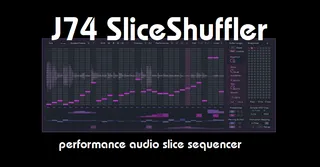
J74 SliceShuffler
J74 SliceShuffler is an audio slice sequencer. Operating as ...
- Type
- Audio Effect
- Author
- fabriziopoce
- Version
- 1.0.4
- License
- Commercial
- Live version
- 11.0
- Max version
- 8.1
- Downloads
- 0
- Updated
- 2021-12-23
J74 SliceShuffler is an Audio Effect for Ableton Live by fabriziopoce, distributed as a commercial (paid) device. It targets Live 11.0 and Max 8.1. First published 2020-01-06, last updated 2021-12-23. 7 user comments below.
New to Max for Live? Read what Audio Effects do, what the Commercial license means, how to install a device.
Description
J74 SliceShuffler is an audio slice sequencer. Operating as an audio effect for Ableton Live (Max for Live), the plug-in works by buffering incoming audio and allows you free slice resequencing and manipulation of the audio phrase. Made with rhythmic material in mind, it can also be used to add a rhythmic feel on anything else too. Above all, SliceShuffler is made for real-time performance: manipulate, mix the snapshots, randomize and do anything you like: changes are hitless and instantaneous. With a performance-friendly [undo] function which let's you revert to a known state, when you wish to.
Feature Overview of J74 SliceShuffler
- Free slice re-sequencing of the captured audio buffer.
- Tempo synchronized, with up to 32 steps (32 beats, 2 bars of buffered audio)
- Probability sequencing lanes to add variations and evolutions over time.
- Sequenced-slice can independently be reversed, muted and/or panned.
- Slice direction can be sequenced with probability of variation.
- Parameter Locking: it can sequence any parameter in Ableton Live
- Drive gain & compressor at the output stage (for overdrive and saturation).
- Snapshots: save and recall snapshots, also for mixing during performance (hitless recall)
- Performance functions: randomize, freeze, shift, reverse. All possible in real-time
Video (example): https://www.youtube.com/watch?v=B_FtuLVmG9o
Comments (7)
I love all the things you make. How does this compare to the buffer shuffler, and some of the more stable mods based on it? How does it compare in terms of features, leanness, and performance? Do you have to drag/drop files into the device, or is it processing audio inline through the signal flow of the track?
Cheers to you
First thing, what makes them similar: SliceShuffler uses the same core "engine" inside as BufferShuffler: the pair chucker~ (a slice-buffering object) & live.grid (its sequencing interface). So these building blocks are the same.
The rest anyway, around those objects, is completely different as so are the use of SliceShuffler.
For instance the audio chain (before and after chucker~) is much more simple as it focuses on low CPU use, for everything. I did all I could to streamline it so that snapshot changes could be done on the fly. There is also a different use of the actual sampling buffer so that you are allowed to change the length of the buffer without any need to stop the transport (like in BufferShuffler) - this is possible because I actually use *two* buffers instead of one.
The GUI and actualy way of use is also, apart from the live.grid interface, completely different. It comes mostly from other tools I made in the past for MIDI, like ARPline and BassLine. You have probability sequencing (two lanes) as you may have seen which is useful to add limited/controlled variability in a musical way (like a little bit of if only on up-beats leaving down-beats alone or similar).
Different is the presence of a modulation lane for sequencing parameters outside SliceShuffler and so are some of the performance functions which expand on the basic ones live.grid gives you.
But most of all is the snapshot handling + undo which allows you to go mad and come back (undo), while swapping snapshots all the time. Essentially to perform freely at low CPU use.
That was what I really wanted to achieve in the first place.