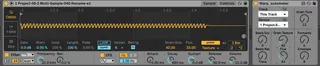
Warp Automater
This device exposes the different warp properties (ie grain ...
- Type
- Audio Effect
- Author
- crcorrell
- Version
- 1.0
- License
- None
- Live version
- 10.0.1
- Max version
- 8.1.3
- Downloads
- 3,566
- Updated
- 2020-04-23
Warp Automater is an Audio Effect for Ableton Live by crcorrell, distributed as freeware, with no license specified by the author. It targets Live 10.0.1 and Max 8.1.3. On maxforlive.com it has 3,566 downloads. Published 2020-04-23. 10 user comments below.
New to Max for Live? Read what Audio Effects do, how device licenses work, how to install a device.
Description
This device exposes the different warp properties (ie grain size, flux, envelope, etc.) that are usually not able to be automated. Normally one must manually control these properties while bouncing the audio to a new track.
In order to use this device drag the audio sample you would like to use into a simpler device. Click the warp feature on the simpler device and select the warp mode. On the Warp Automater device select the track and the simpler device you would like to automate (usually "This Track" and whatever the simpler device is named). You can now automate the warp properties either using a LFO device or by drawing envelopes in.
NOTE: This device is very CPU intensive and will also fill up your undo history. It is recommended that you use the device to get a good automation then bounce the take to a new track. Please contact me if you have any suggestions or feature requests!
Comments (10)
Wonderful device!!
I made a tutorial about it!
https://www.youtube.com/watch?v=qZGfL4B4fBk&t=65s
Nice work
THANK YOU
I wonder if warp algorithm selection and beats mode can also be automated with a future update.
Great device!