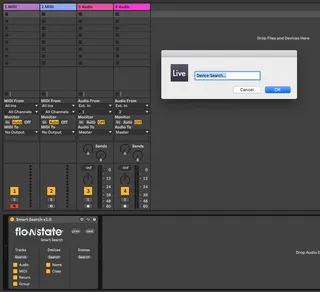
Smart Search
Search your entire Ableton Live project for Tracks, Devices ...
- Type
- Audio Effect
- Author
- flowstate
- Version
- 1.1
- License
- Commercial
- Live version
- 10.1.19
- Max version
- 8.1.1
- Downloads
- 0
- Updated
- 2020-09-10
Smart Search is an Audio Effect for Ableton Live by flowstate, distributed as a commercial (paid) device. It targets Live 10.1.19 and Max 8.1.1. First published 2020-04-30, last updated 2020-09-10. 6 user comments below.
New to Max for Live? Read what Audio Effects do, what the Commercial license means, how to install a device.
Description
Search your entire Ableton Live project for Tracks, Devices and Scenes. Select and shift focus to the results of the search.
Filter out results depending on type.
Also finds devices by original name (ie Operator, Reverb) - Even if this has been changed or a preset is being used.
Device & Track search looks right down inside nested racks and groups too infinity, while expanding any folded groups or racks to show the search result.
Tab through the list of results to find all items of the searched type (Tracks, Devices or Scenes) that contain the searched term.
Mappable buttons or use a floating pop out window to always have instant access to search features.
Release Notes:
V1.01-
Bugfix - Scene searching now works as expected.
V1.1-
Added a floating window
Comments (6)
Yeah this is on the list of things to improve and should be coming as an update.
The device works best with the search and scroll buttons key/MIDI mapped, but we will be adding a floating window too at some stage.
Thanks very much for this device.
I wanted to leave a suggestion for an improvement in the future: it would be great if the search function could find tracks hidden within groups.
Currently, I'm not able to focus on a track if it is within a group.
Cheers!