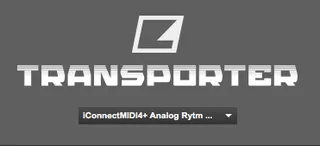
Elektron Transporter
A simple patcher which allows you to control the Ableton Liv...
- Type
- Audio Effect
- Author
- Airyck
- Version
- 1.0
- License
- AttributionShareAlike
- Live version
- 10.1.9
- Max version
- 8.1.3
- Downloads
- 663
- Updated
- 2020-06-13
Elektron Transporter is an Audio Effect for Ableton Live by Airyck, distributed as Creative Commons Attribution-ShareAlike. It targets Live 10.1.9 and Max 8.1.3. On maxforlive.com it has 663 downloads. First published 2020-04-21, last updated 2020-06-13. 4 user comments below.
New to Max for Live? Read what Audio Effects do, what the AttributionShareAlike license means, how to install a device.
Description
A simple patcher which allows you to control the Ableton Live Transport from your Elektron Device Transport.
Supports Start, Stop, and Continue messages.
Uses imp.midi externals
Note, Windows Limitation:
When using in Windows Elektron Transporter in cannot use any port that the host application (Ableton Live) is also using. Any ports required to be used with Elektron Transporter should be disabled in Ableton MIDI preferences. This is due to Windows lacking a native multi-client MIDI driver.
Instructions:
1) Drop on a track anywhere in your Live project.
2) Select your MIDI input for the device you wish to control the Ableton Live transport with.
3) Make sure you have activated the transport send setting in your Elektron Device.
4) If the MIDI port list does not automatically populate, click the elektron logo to refresh the list (this will deselect any ports you have already selected).
You should be able to use multiple devices to control the transport by dropping multiple Elektron Transporter devices in your project and selecting the corresponding MIDI channels (tested with 2 devices).
Tested and working with Octatrack, Analog Rytm MKII, Digitone Keys, and Digitakt.
Firmware updates 1.2 (Digitakt) and 1.3 (Digitone) have separated the transport send from the clock signal. This device is now working with the Digitone and Digitakt with the new firmwares.
Enable transport send on your Elektron Device
Disable clock send on your Elektron Device if you are having issues with reliability.
Comments (4)
Older versions of the Digitakt firmware won’t work.
2. If you are using Windows make sure the ports you are using are disabled in the Ableton Live preferences (Windows cannot share MIDI ports with multiple applications).
3. Make sure you have “send transport” enabled in the Digitakt settings menu. If you can’t find the setting, see #1