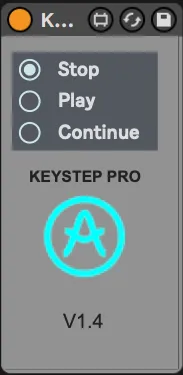
KeyStep Pro Transport
This device allows you to control the transport of Ableton L...
- Type
- Audio Effect
- Author
- Razzkazz
- Version
- 1.4
- License
- AttributionNonCommercialShareAlike
- Live version
- 11.2.11
- Max version
- 8.5.3
- Downloads
- 667
- Updated
- 2023-06-13
KeyStep Pro Transport is an Audio Effect for Ableton Live by Razzkazz, distributed as Creative Commons Attribution-NonCommercial-ShareAlike. It targets Live 11.2.11 and Max 8.5.3. On maxforlive.com it has 667 downloads. First published 2021-02-09, last updated 2023-06-13. 5 user comments below.
New to Max for Live? Read what Audio Effects do, what the AttributionNonCommercialShareAlike license means, how to install a device.
Description
This device allows you to control the transport of Ableton Live; Stop, Play, and Continue, with Arturia's Keystep Pro.
Ableton Live's sync is not tight, ever. This device offers an alternative to externally syncing Ableton Live to the KSP. The issue will Ableton Lives' external sync is the tempo constantly varies, though in very small amounts. It's also impossible to get perfect sync, no matter what settings you adjust.
In terms of sync tightness, this device is similar to external sync. But it does allow better transport control, stop/play/continue. When in regular EXT sync mode, pressing stop returns the play locator to the beginning of the song, quite annoying, but not so with this device.
This is not the ultimate solution, just possibly a better way of working in some setups.
I did have it working as both an Audio and MIDI device, but the Audio version relied on an external that is not Apple Silicon compatible, so now there is just the MIDI version. To use the device just drop it on a MIDI track and set monitoring to "In".
I am happy to do updates, so let me know of any feature requests. If you come across any bugs let me know.
Updates
v1.2 - After upgrading the firmware on the KSP (2.1), I noticed the device was not working as expected. Or maybe it always had a bug. Anyway, it works as expected now.
v1.4 - Device is a MIDI effect only now. The device is now also available through Gumroad.
Comments (5)
Didn't realize the KSP didnt sync transport until AFTER I bought it (T___T)''