setTrackColor
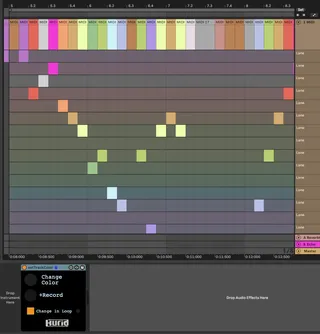
I made a M4L device that make change color of selected track...
- Type
- Audio Effect
- Author
- keikusama
- Version
- 1.0.3
- License
- AttributionNonCommercial
- Live version
- 11.0.5
- Max version
- 8.1.11
- Downloads
- 623
- Updated
- 2021-07-26
setTrackColor is an Audio Effect for Ableton Live by keikusama, distributed as Creative Commons Attribution-NonCommercial. It targets Live 11.0.5 and Max 8.1.11. On maxforlive.com it has 623 downloads. First published 2021-02-24, last updated 2021-07-26. 2 user comments below.
New to Max for Live? Read what Audio Effects do, what the AttributionNonCommercial license means, how to install a device.
Description
I made a M4L device that make change color of selected track.
'+Record' toggle switch makes changing color when you start recording.
And colorize each clips on loop record mode.
Tutorial :
https://youtu.be/p6ZkVX97pO4
See also my products :
https://gumroad.com/keikusama
02.03.2021 : v1.0.1 minor bugfix
12.06.2021 : v1.0.2 separate button (color, record), minor bugfix
26.07.2021 : v1.0.3 To prevent the Rec button from recording automation data, the Rec button has been removed and replaced with a toggle. (The color is now automatically set when the arrangement recording is turned on.)
Comments (2)
Would it be possible to add an option to set default colors that you want it to *cycle* (vs. randomly select) through?
I have a very precise color set that I use for every live set as I like to keep things organized & consistent.
This device changes the color by rotating on Live’s color index.(0-69)
If you want to change it with only your favorite colors, it needs edit on Max.
The section of changing color is left side on edit window :-)