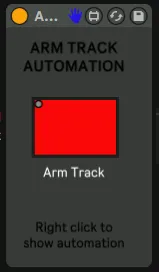
Arm Track Automation
This device allowes you to automate the function "Arm Track...
- Type
- MIDI Effect
- Author
- JaviHerreroMusic
- Version
- 1.0
- License
- Attribution
- Live version
- 10.1.18
- Max version
- 8.1.5
- Downloads
- 0
- Updated
- 2021-04-20
Arm Track Automation is a MIDI Effect for Ableton Live by JaviHerreroMusic, distributed as Creative Commons Attribution. It targets Live 10.1.18 and Max 8.1.5. Published 2021-04-20. 2 user comments below.
New to Max for Live? Read what MIDI Effects do, what the Attribution license means, how to install a device.
Description
This device allowes you to automate the function "Arm Track", which is by default not available in Ableton.
Drop the device in a track, right click on the device´s button and click show automation. Then you can select when the automation is on and off during playback.
Use new instances of the device on every track you want to do this. If you move the device from one track to another it will keep controlling the first one it was dropped on.
Comments (2)