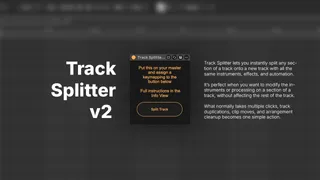
Track Splitter
Track Splitter lets you instantly split any section of a tra...
- Type
- Audio Effect
- Author
- finnuh
- Version
- 2.0
- License
- Commercial
- Live version
- 12.4.1
- Max version
- 9.1.4
- Downloads
- 0
- Updated
- 2026-06-02
Track Splitter is an Audio Effect for Ableton Live by finnuh, distributed as a commercial (paid) device. It targets Live 12.4.1 and Max 9.1.4. First published 2022-04-27, last updated 2026-06-02. 2 user comments below.
New to Max for Live? Read what Audio Effects do, what the Commercial license means, how to install a device.
Description
Track Splitter lets you instantly split any section of a track onto a new track with all the same instruments, effects, and automation.
It’s perfect when you want to modify the instruments or processing on a section of a track, without affecting the rest of the track.
What normally takes multiple clicks, track duplications, clip moves, and arrangement cleanup becomes one simple action.
Setup
1. Add Track Splitter to your master channel
2. Assign a key mapping to the Split button
Usage
1. Select a region of a track in Arrangement View
2. Press your Track Splitter shortcut
What's New in v2
* Fixed undo history, track splits can now be undone normally
* Fixed memory leak issues
* Fixed rare infinite loop bugs
* Added Windows support
* Improved overall performance and reliability
Track Splitter v2 is faster, more stable, and designed to feel like a native Ableton workflow feature.
Note: Track Splitter uses accessibility permissions to dispatch keyboard shortcuts. You may need to grant Max accessibility access in your operating system settings.
Comments (2)
I've finally got Track Splitter working on windows with v2! You should have access on gumroad to the new version. give it a try!