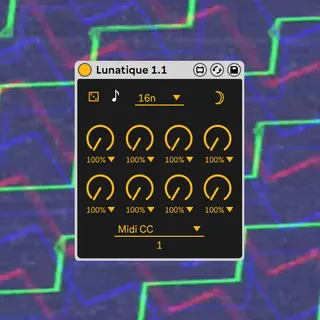
Lunatique
Lunatique is a free push-ready Max for Live device that allo...
- Type
- MIDI Effect
- Author
- losgallos
- Version
- 1.2
- License
- None
- Live version
- 11.1.5
- Max version
- 8.2.2
- Downloads
- 0
- Updated
- 2023-04-26
Lunatique is a MIDI Effect for Ableton Live by losgallos, distributed as freeware, with no license specified by the author. It targets Live 11.1.5 and Max 8.2.2. First published 2022-05-04, last updated 2023-04-26. 14 user comments below.
New to Max for Live? Read what MIDI Effects do, how device licenses work, how to install a device.
Description
Lunatique is a free push-ready Max for Live device that allows you to conditionnaly "knob-sequence" :
Midi CC
Midi notes
Other devices parameters
Comments (14)
Ive made a 16th note version of it. I need to edit it to add the note on/off of 1.1. Also would be cool to be able to select a length /16 to get offbeat patterns.
I'll try to add it too. Maybe a bipolar version with offset too. And multiple parameters mapping
Thanks for your work
Some good ideas for a potential v1.2 :)
Theres a couple things that I would think make this device great and a bit more unique.
1) Microtiming adjustment similar to how you have a separate screen for chance.
2) Rise and fall settings for modulation, i think this would really help with being able to take modulation to more extreme places and avoid clicks- but also just a wide pallete of modulation, would allow you to almost "draw" lfos with the 8 knobs.
3)The ability to modulate multiple paramters but also control more importantly the ability to set the range of modulation would be handy in setting up boundaries.
Quality of life stuff:
1)I notice that when i map this to modulation sources that it just says "live.menu" or "live.knob" if this could be fixed i think it would help with keeping track of complex modulation more easily.
2)Navigating the huge note menu feels very clunky, may be good to just allow you to scroll through the menu without opening it similar to how a lot of other native ableton devices work with selecting pitch.
Not sure how difficult this stuff is to implement, but regardless great device look forward to seeing what else you come up with in the future.
Thanks for your feedback !
I may work on some of those in the future, Microtiming being the only "hard-to-do" I think
Or have the "note screen" bring up a whole new set up knobs with a slider for velocity and the knobs controlling the length of each note? Just an idea in terms of organization
Also, does the chance function only effect modulation or does it also effect midi triggers?
Would you consider mapping this to a Push?
I've set it up with macros ofcourse, but this makes for a clumsier workflow on the Push as it's now either takes up two slots out of eight on my device list, or I have to hide the device in favour of the collapsed Group.
Just the eight knobs would do, but categories with knobs, parameters etc would be even better!
I'm also curious if you've considered a reset knob? With this, people can either manually hit it, map an lfo/env to it, or set it per clip, making for custom sequence lengths without another larger UI element.
Thanks for the feedback 😊. Yeah I have to work on the naming and make it cleaner for Push. I can't make any promise but I listen to all feedbacks and it's now on my to-do list 😉
A reset knob ? I am curious, tell me more I don't get it
The device is now "push ready".
I do not have a Push, I did follow the guidelines but I was like blind so tell me if that needs improvements.
I expect some feedback if anything is wrong ✌️