Maquereau
Maquereau is a free Max for Live device that automatically m...
- Type
- MIDI Effect
- Author
- losgallos
- Version
- 2.0
- License
- None
- Live version
- 11.1.5
- Max version
- 8.2.2
- Downloads
- 0
- Updated
- 2023-06-11
Maquereau is a MIDI Effect for Ableton Live by losgallos, distributed as freeware, with no license specified by the author. It targets Live 11.1.5 and Max 8.2.2. First published 2022-08-23, last updated 2023-06-11. 8 user comments below.
New to Max for Live? Read what MIDI Effects do, how device licenses work, how to install a device.
Description
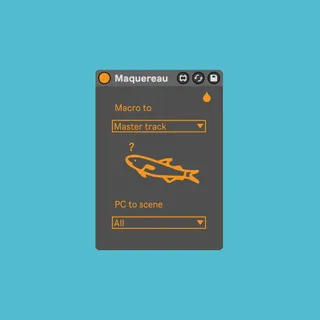
Maquereau is a free Max for Live device that automatically maps your Elektron midi track knobs to your rack macro controls (and the first two sends) :
- So you do not have to map anything when using DN/DT/ST with Ableton midi tracks
- So you can save your rack as a preset and save the mapping with it ✌️🤓
There is a fish that reminds you how to use this device in case you forgot.
-----------------------------------------------------
New features with version 2 :
- Control the 8 first parameters of the master track
- Control the currently selected device
- Launch scenes via program changes
- Updated UI
Comments (8)
it dosn't work at all
Mac studio M1
Elektron Analog MkII Black firmware 1.61E
Overbridge 2.51
Please contact me
live.text: can't find /tmptmp/Maquereau.svg
It's not supposed to work with an Analog Rytm but with a Digitakt, Digitone or Syntakt midi tracks, and Overbridge has nothing to do with it because it uses standard midi.
As for the svg error message, it is only an UI error I already have adressed lately. When did you download the device ? Do you still have it when downloading it again ?
Also are you the one who paid for the device and afterwards put the lowest note possible on the gumroad product ? It's free, you could have tested it and understood it's not for the Rytm.
Thanks for the feedback !
Also is the instrument rack the vert first thing on the device area ? It must be for it to work.
But the svg should not be the reason why the device is not working on your side so get back back to me from Gumroad if you want some further assistance (I use this device everyday, really time saver).