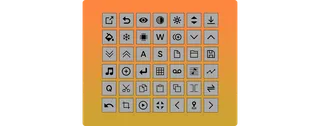
Advanced Toolbar Buttons
This plugin adds new buttons/controls and new features to wo...
- Type
- Audio Effect
- Author
- killihu
- Version
- 2.0
- License
- Commercial
- Live version
- 11.3.21
- Max version
- 8.5.6
- Downloads
- 0
- Updated
- 2024-12-27
Advanced Toolbar Buttons is an Audio Effect for Ableton Live by killihu, distributed as a commercial (paid) device. It targets Live 11.3.21 and Max 8.5.6. First published 2022-05-06, last updated 2024-12-27. 9 user comments below.
New to Max for Live? Read what Audio Effects do, what the Commercial license means, how to install a device.
Description
This plugin adds new buttons/controls and new features to work with Ableton Live. It consists of a button bar with a transparent background, where different button configurations can be created. The button bar can be positioned anywhere on the screen.
Main features:
- Adjustment of clip parameters without having to open the clip detail view, such as volume, transposition, groove selection and others.
- New mode to capture and insert scene.
- Global activation and deactivation of tracks.
- Alternative way to move loop markers in the arrangement.
- Automatic reset of overwritten automation when starting or stopping transport.
- Automatic unfolding of the track selected in the arrangement and folding the other tracks.
- Track colors to clips for all tracks in the project.
- Volume, Pan and Send controls for the selected track.
- Session view clip duplication and triggering of the new duplicate clip.
- Switch between different Live color themes without opening the preferences window.
- One-button access to various Live actions that are only available in context menus.
- Creation of presets with different layouts that can be loaded using key mapping.
- Button/control size adjustment to fit any screen resolution.
- Supports multi-monitor setups.
- Does not interfere with Live’s undo history.
- Matches Live’s color theme.
See details and changelog at:
https://killihu.vstskins.com/advanced-toolbar-buttons/
Comments (9)