-ASK- Meta Macro 8x
Meta Macro 8x gives you eight powerful macro controls with c...
- Type
- Audio Effect
- Author
- Askondo
- Version
- 3.0
- License
- Commercial
- Live version
- 12.2
- Max version
- 9
- Downloads
- 0
- Updated
- 2026-06-21
-ASK- Meta Macro 8x is an Audio Effect for Ableton Live by Askondo, distributed as a commercial (paid) device. It targets Live 12.2 and Max 9. First published 2023-02-01, last updated 2026-06-21. 9 user comments below.
New to Max for Live? Read what Audio Effects do, what the Commercial license means, how to install a device.
Description
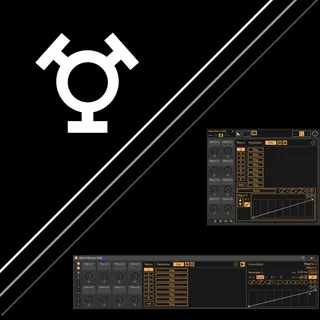
Meta Macro 8x gives you eight powerful macro controls with custom curves, snapshots, and a floating view that looks and feels like Ableton's native rack system. Map most parameters in Live to the macros and shape them exactly how you need.
Want modulation or rack integration too? Add MDx or Rack anytime, or get all three in the Complete Bundle.
Requirements: Ableton Live 12.2+, Max 9
Key Features
8 Macro Controls
Map 1, 2, 4, or 8 parameters per macro depending on version. Each macro switches between Dial and Button mode (Alt+click). Button mode offers quantized triggering, configurable ramp modes, and ramp time in note values.
Tip: x2 or x4 versions give the best balance of flexibility and CPU/RAM headroom for most projects; reserve x8 for sets that need every parameter slot.
Curve Editor
Custom curves per mapped parameter with breakpoint editing (click to add, Alt to curve segments, Shift+click to delete). Undo/redo, copy/paste between parameters, envelope overlay, grid snap, halve/double timing. Mirror envelopes on X or Y axis. Quick presets for linear, exponential, and logarithmic curves.
Parameter Ranges & Lag
Set min/max per parameter. Invert with one click. Parameter Lag smooths value transitions individually. Tip: map two parameters with inverted ranges to the same macro for instant push-pull sound design.
Snapshots & Randomization
Four slots to store and recall macro values via a Load/Store toggle. Downbeat-synced triggering keeps recalls musical. Hold Alt to include or exclude specific macros from snapshot recall or randomization.
MIDI & Push
Full MIDI mapping in device view. Push integration with Tethered mode and organized banks. Push works tethered only — no standalone mode (a V8 JS engine limitation). Build your mappings on the computer first, then perform with them on Push.
Workflow
Locate buttons - jump Live's UI straight to a mapped parameter, or to the device itself
Color Editor - named, savable color presets; apply to one instance, a whole cluster, or every instance; follow Live's color scheme or your track's color automatically
Drag-and-drop version swap - switch between x1, x2, x4, and x8 without losing mappings
Mappings carry over - swap between x1/x2/x4/x8, or upgrade to MDx/Rack later, and your curves, ranges, and snapshots come with it
Arrange Macros - send-style or parallel layout in the Performance View
Parameter chooser - quickly switch the selected mapping's curve in the Edit View
Window Control
Floating view for performance-ready access outside device view. Drag windows together to cluster them, hold Ctrl/Cmd to pull one window out, or Alt+Unlock to dissolve a whole cluster at once. Layouts save with your set and restore automatically. Track-independent positioning, with a HiDPI-friendly interface scale.
Feedback welcome via Discord or email.
Have fun making music!
Comments (9)
Cheers!
It's planned to display the current value(of the corresponding parameter at the mapped macro position) for the extended envelope editor in the floating view.
So basically when you move the macro knob you see the translated value.
Unfortunately, it relies on unofficial M4L API calls so it comes with the caveat of printing a lot of warnings in the M4L console.
I'll post an upgrade on gumroad soon.
A Random Button should be easy to implement.
I'll consider it for the next update!
Cheers
1. Resizeable window where the macros can get bigger (I always found it very difficult to have to look at these small macro labels)
2. The ability to align the macro knobs in the floating window (that's a special one for the OCD crowd out here)
Best
A possibility to scale the floating window is in the making.
Aligning the macros is unfortunately out of discussion.
I saw the performance pack that Ableton brought out with Live 12, where one can arrange many controls to one's liking. Maybe that is better suited for you?
Unfortunately, I'm only one person and can't rewrite the whole device to make this possible. I started these devices with the concept of resembling the Live UI.
Cheers
Thank you so much for your support!
I’m aware of Honey Mapper, but I haven’t explored it in detail yet. It’s a bit different from my device since Honey Mapper interacts directly with the rack, while mine is designed as a standalone solution that doesn’t require a rack at all.
That said, I think their system is quite clever, and I could definitely explore creating something similar in the future. Adding a rack takeover mode would be a great feature, though it may take a bit of time to develop. For now, you can insert Meta Macro into a rack and manually map the dials for use.
Your feedback has given me some great ideas, and I’m excited to keep improving the device. Thanks again for sharing your thoughts—I truly appreciate it!
Best regards,