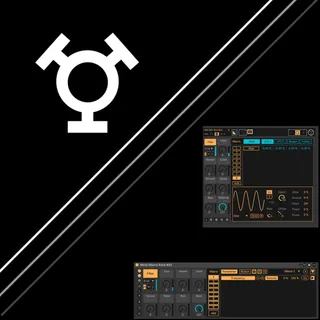
-ASK- Meta Macro Rack
Meta Macro Rack is the rack-integrated edition of the Meta M...
- Type
- Audio Effect
- Author
- Askondo
- Version
- 3.0
- License
- Commercial
- Live version
- 12.2
- Max version
- 9
- Downloads
- 0
- Updated
- 2026-06-21
-ASK- Meta Macro Rack is an Audio Effect for Ableton Live by Askondo, distributed as a commercial (paid) device. It targets Live 12.2 and Max 9. Published 2026-06-21.
New to Max for Live? Read what Audio Effects do, what the Commercial license means, how to install a device.
Description
Meta Macro Rack is the rack-integrated edition of the Meta Macro series. Place it inside any rack, and it binds directly to the parent rack's macro controls, bypassing Live's automation system for best performance. Includes the full modulation system and all features from the series.
Your purchase includes a manual with usage tips.
Want plain macro control or modulation on a track instead? Add 8x or MDx anytime, or get all three in the Complete Bundle.
Requirements: Ableton Live 12.2+, Max 9
Key Features
Parent Rack Integration
Drop into any instrument or effect rack, and it automatically binds to the parent rack's macros. Each of the 8 Meta Macro dials can be linked to any parent macro - all eight can link to a single macro if needed. Direct binding bypasses Live's automation system, making it the most performant version in the series. Macro names automatically follow the parent rack's macro names.
8 Macro Controls
Map 1, 2, 4, or 8 parameters per macro depending on version. Each macro switches between Dial and Button mode (Alt+click). Button mode offers quantized triggering, configurable ramp modes, and ramp time in note values.
Tip: x2 or x4 versions give the best balance of flexibility and CPU/RAM headroom for most projects; reserve x8 for sets that need every parameter slot.
Integrated Modulation
All Live stock modulators built in: two independent LFOs, Shaper, and Envelope Follower with selectable input. Each mapped parameter can be modulated independently with a per-macro amount slider for real-time scaling. Each modulation source also gets 8 additional targets mappable to any parameter in Live. Save and load entire modulation matrix setups as files to reuse across projects.
Modulation Matrix
Source Chooser UI for assigning sources. Toggle between Parameter View and Modulation View. MOD/Remote toggle per parameter.
Curve Editor
Custom curves per mapped parameter with breakpoint editing (click to add, Alt to curve segments, Shift+click to delete). Undo/redo, copy/paste between parameters, envelope overlay, grid snap, halve/double timing. Mirror envelopes on X or Y axis. Quick presets for linear, exponential, and logarithmic curves.
Parameter Ranges & Lag
Set min/max per parameter. Invert with one click. Parameter Lag smooths value transitions individually. Tip: map two parameters with inverted ranges to the same macro for instant push-pull sound design.
Snapshots & Randomization
Four slots to store and recall macro values via a Load/Store toggle. Downbeat-synced triggering keeps recalls musical. Hold Alt to include or exclude specific macros from snapshot recall or randomization.
MIDI & Push
Full MIDI mapping in device view. Push integration with Tethered mode. Layout options: all macros on one bank, or macros with modulation alongside. Push works tethered only — no standalone mode (a V8 JS engine limitation). Build your mappings on the computer first, then perform with them on Push.
Workflow
Locate buttons - jump Live's UI straight to a mapped parameter, or to the device itself
Color Editor - named, savable color presets; apply to one instance, a whole cluster, or every instance; follow Live's color scheme or your track's color automatically
Drag-and-drop version swap - switch versions without losing mappings
Mappings carry over - swap between x1/x2/x4/x8, or move to 8x/MDx later, and your curves, ranges, and snapshots come with it
Arrange Macros - send-style or parallel layout in the Performance View
Parameter chooser - quickly switch the selected mapping's curve in the Edit View
Window Control
Floating view for performance-ready access outside device view. Drag windows together to cluster them, hold Ctrl/Cmd to pull one window out, or Alt+Unlock to dissolve a whole cluster at once. Layouts save with your set and restore automatically. Track-independent positioning, with a HiDPI-friendly interface scale.
Feedback welcome via Discord or email.
Have fun making music!