-ASK- Gain Changer
Gain Changer is a Max for Live tool to ease the use of the c...
- Type
- Audio Effect
- Author
- Askondo
- Version
- 1.1
- License
- None
- Live version
- 11.2.7
- Max version
- 8.3.2
- Downloads
- 0
- Updated
- 2023-05-21
-ASK- Gain Changer is an Audio Effect for Ableton Live by Askondo, distributed as freeware, with no license specified by the author. It targets Live 11.2.7 and Max 8.3.2. First published 2023-02-21, last updated 2023-05-21. 3 user comments below.
New to Max for Live? Read what Audio Effects do, how device licenses work, how to install a device.
Description
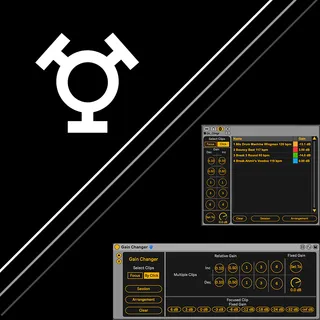
Gain Changer is a Max for Live tool to ease the use of the clip gain feature in Live
Gain Changer's key features are:
- Quickly and comfortably change the clip gain of only the focused clip, multiple clips (by click), or all the clips in either Arrangement or Session view (selection through dedicated buttons).
- Change clip gain absolute or relative to the current value
- The relative volume difference between different clips are preserved when changing their gain (Live doesn't preserve relative volume difference)
- Allows to change clip gain independent of the current Live view.
- See the clip gain value of all selected clips in a list
- Midi-map most important functions right in the device view
As with all my devices, Gain Changer uses the "Window Control" system which allows having a unified floating view experience. Move, cluster, and hide any number of my device's floating views and have them ready independent from the track they reside on.
Feel free to hit me up on my discord channel should you have any feedback or wishes.
Enjoy! :)
Update 1.1
- Added Color Editor to make floating views easier to identify and customize each individual instance
Comments (3)
Thanks for buying my device.
Unfortunately, at the time I build this device it was not possible to select multiple clips via shift selection.
I'm working on updates to all my devices.
Hopefully there is a way, but right now, you'd have to select individual, session clips or arrangements clips.