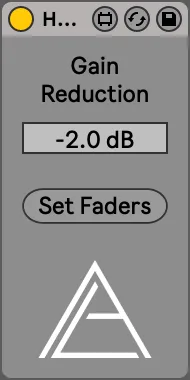
HeadRoom
Add more headroom to the master track! Simply put the device...
- Type
- Audio Effect
- Author
- AudioLord
- Version
- 1.0
- License
- Attribution
- Live version
- 11.2.11
- Max version
- 8.3.3
- Downloads
- 0
- Updated
- 2023-04-26
HeadRoom is an Audio Effect for Ableton Live by AudioLord, distributed as Creative Commons Attribution. It targets Live 11.2.11 and Max 8.3.3. Published 2023-04-26.
New to Max for Live? Read what Audio Effects do, what the Attribution license means, how to install a device.
Description
Add more headroom to the master track! Simply put the device on any track, set the amount of gain reduction and then hit set faders to reduce all tracks by the same amount of dB. The device will ignore any tracks in folded groups or racks.
Although it was designed to add headroom you can also reduce the amount of headroom by putting positive values in the gain reduction box.
Be aware that automation can not be adjusted currently with M4L so any automation on the fader will be disabled. Automating the gain of a Utility is advised to still have control over the faders.
For support, bug fixes and feature suggestions email: [email protected]