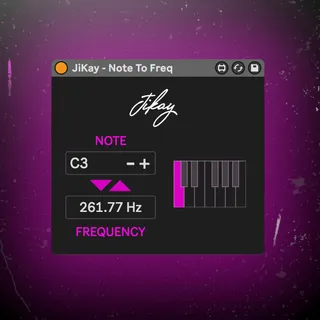
Note To Frequency Calculator
A Max For Live device that calculates the frequency of a not...
- Type
- MIDI Effect
- Author
- jikay
- Version
- 1.0
- License
- None
- Live version
- 10.1.18
- Max version
- 8.1.5
- Downloads
- 0
- Updated
- No Updates
Note To Frequency Calculator is a MIDI Effect for Ableton Live by jikay, distributed as freeware, with no license specified by the author. It targets Live 10.1.18 and Max 8.1.5. Published 2024-04-22.
New to Max for Live? Read what MIDI Effects do, how device licenses work, how to install a device.
Description
A Max For Live device that calculates the frequency of a note.
This includes two devices, a MIDI device and an audio device. The midi version accepts incoming notes, allowing the note to be set with a midi keyboard or to follow along with a musical part such as a bassline. The audio device is included for convenience, it does not accept or affect any incoming audio.
There are two settings for middle C. Somewhat confusingly, in the MIDI world, there are two main ideas about where middle C should be: C3 and C4.
Ableton uses C4 as middle C however some manufacturers and DAWs (such as Yamaha, Roland, and Logic Pro) chose middle C at C3.
By default, the device is set to C4 (Ableton) standard but C3 can be chosen in settings.