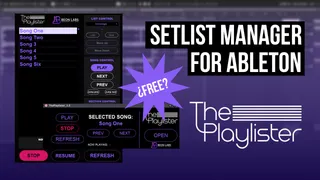
The Playlister - Ableton Setlist Manager
The Playlister is a transport controller and Setlist Manager...
- Type
- Audio Effect
- Author
- beonlabs
- Version
- 1.3
- License
- Attribution
- Live version
- 10.0
- Max version
- 8.0
- Downloads
- 0
- Updated
- 2025-09-15
The Playlister - Ableton Setlist Manager is an Audio Effect for Ableton Live by beonlabs, distributed as Creative Commons Attribution. It targets Live 10.0 and Max 8.0. First published 2025-02-19, last updated 2025-09-15. 1 user comment below.
New to Max for Live? Read what Audio Effects do, what the Attribution license means, how to install a device.
Description
The Playlister is a transport controller and Setlist Manager designed for navigating locators within an Ableton Live’s Arrangement View. Simplify the movement and playback of locators, specifically crafted for live performance environments where agility is crucial for executing each song seamlessly.
KEY FEATURES
- View and navigate through all songs configured as locators.
- Move between different sections, such as verses, choruses, etc.
- Rearrange your setlist
-Save and load your setlist order
- AutoStop locators.
- Full MIDI mapping.
Version 1.3
🛠️NEW FEATURES & IMPROVEMENTS
Resize UI:
You can resize the user interface to different sizes. This allows it to fit screens with a resolution of up to 1280x720.
Autostop did not disappear:
In the previous version, if you set Autostop locators (!STOP) and then removed them, no matter how many times you refreshed The Playlister, playback would continue to stop where you had set the STOP locators. This has now been fixed!
Button mapping now works as expected:
In the previous version, mapped buttons were behaving like toggles — requiring two presses to reset. This has been fixed. Buttons now respond correctly with a single press, as they should. This error is caused by compatibility issues between MAX and Ableton, and so far MAX has not provided a native solution. Therefore, this error was corrected in The Playlister by applying a “brute force” method, which may cause errors in the buttons (during testing, no errors were observed, but the possibility still exists). If you notice any errors with the buttons, please report free of charge them by filling out the error report form. (Link below or in The Playlister manual)
Comments (1)