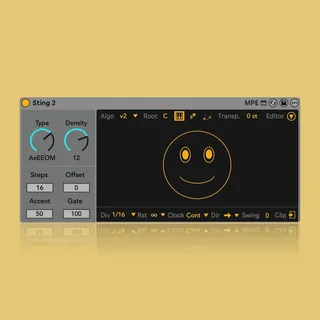
Sting 2 - Acid Line Performance System
Version 2.2 adds Ableton Move takeover mode and a new bass a...
- Type
- MIDI Effect
- Author
- iftah
- Version
- 2.2
- License
- AttributionNonCommercialNoDerivatives
- Live version
- 11.2
- Max version
- 8.6.2
- Downloads
- 0
- Updated
- 2026-04-15
Sting 2 - Acid Line Performance System is a MIDI Effect for Ableton Live by iftah, distributed as Creative Commons Attribution-NonCommercial-NoDerivatives. It targets Live 11.2 and Max 8.6.2. First published 2025-07-02, last updated 2026-04-15. 23 user comments below.
New to Max for Live? Read what MIDI Effects do, what the AttributionNonCommercialNoDerivatives license means, how to install a device.
Description
Version 2.2 adds Ableton Move takeover mode and a new bass algorithm.
Walkthrough video: https://youtu.be/He34G9BXxiM?si=7OVER00blOyG-S5C
Version 2.1 adds a new arpeggiator mode that uses incoming notes to generate patterns, selective randomness that lets you choose what doesn’t change when you regenerate patterns, an octave range limiter, tie mode, push-button support, and more.
Walkthrough video:
https://www.youtube.com/watch?v=pR-3qTAvcJM
Version 2.05, added scale awareness, polymeter reset and new push focus modes.
Walkthrough video:
https://youtu.be/u_5oFDmlny8?si=AGBLd1yaMtnXQXTq
The new version of Sting is an expressive, improvisational acid line performance system. It is a Max for Live device that runs on Ableton Live or Push 3 Standalone. Sting can generate anything from random to acid patterns and morph between them fluidly. It features a new generation algorithm, advanced editing, expressive control, generative sequencing, and modulation capabilities, along with a set of live performance oriented features. These include a dedicated Push takeover mode that transforms Sting into a hands-on live performance system when used with Ableton Push 2 or 3.
All of Sting’s parameters are logically laid out and fully controllable via Tabbing, making it accessible to blind, visually impaired, and sighted users.
Sting is available as either a free or paid download. Both versions are identical; it's simply a way to ensure that everyone can access it, regardless of their ability to support my work.
Comments (23)
Thank you for Sting!
Do you plan to implement scale awareness?
Can we please control the parameter 'root note' in the envelope section of live? We have everything else.
Anyone else run into this?
I only miss now "Generate Clip" on the hardware.
where the para was suited before is now "Tie"
when I load the previous Sting - Generate Clip - is placed where now Tie is.
checked the Patch, it has now Order number 25, previously it was 15
but I am unable to make "Create Clip" visible on the HW again.
any idea what I'm missing?
Heres a detailed overview of how to use sting and Push
Sting 2 Push Takeover Walkthrough (Ableton Live)
https://youtu.be/MFHIF-yxnv8