- Type
- Audio Effect
- Author
- kenan
- Version
- 0.5
- License
- None
- Live version
- 8.3
- Max version
- 5.1.9
- Downloads
- 687
- Updated
- 2013-01-21
Jumpinator is an Audio Effect for Ableton Live by kenan, distributed as freeware, with no license specified by the author. It targets Live 8.3 and Max 5.1.9. On maxforlive.com it has 687 downloads. First published 2013-01-05, last updated 2013-01-21. 6 user comments below.
New to Max for Live? Read what Audio Effects do, how device licenses work, how to install a device.
Description
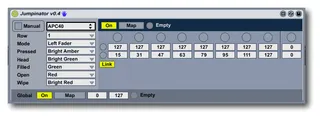
The Jumpinator lets you use a set of button controls to easily jump between 8 values on a continuous control. It is optimized to work with a Launchpad--either by itself or with the Launchpad Mashinator--but it works with any MIDI-mappable controller, especially if you use it with the Midimashinator or with a controller that supports momentary-type buttons. There are more details at my web site.
Comments (6)
I've uploaded a new version which fixes that bug. Check it out and let me know if you have any other issues.
Do you think i can ask you to do it? would be very useful for (not only) me. Thanks! Dan