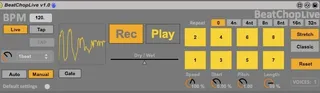
Beat Chop Live
19-Mar-2023. New Device available that works on new macs (gr...
- Type
- Audio Effect
- Author
- sharp
- Version
- 1.0
- License
- AttributionNonCommercialShareAlike
- Live version
- 9.0.4
- Max version
- 6.1.2
- Downloads
- 3,713
- Updated
- 2023-03-19
Beat Chop Live is an Audio Effect for Ableton Live by sharp, distributed as Creative Commons Attribution-NonCommercial-ShareAlike. It targets Live 9.0.4 and Max 6.1.2. On maxforlive.com it has 3,713 downloads. First published 2013-07-24, last updated 2023-03-19. 23 user comments below.
New to Max for Live? Read what Audio Effects do, what the AttributionNonCommercialShareAlike license means, how to install a device.
Description
19-Mar-2023. New Device available that works on new macs (grainstretch~ external replaced by groove~)
Download here:
https://maxforlive.com/library/device.php?id=8934
--
15 Oct 2022 - Not tested on latest version of Live (11) or M1 Mac. Reports that the device does not open on 'running M1 Apple macbook Pro (Monterey) with Ableton 11'
--
A MaxforLive device that performs real-time 'Slice to Midi' on internal or external audio.
Designed as a production tool to speed up workflow and as a live tool for jamming with other musicians or a DJ.
Grab the other person's audio and play along with them.
Features:
- Sample and playback Live clips or incoming audio/turntable/band instantly.
- Midimap or midi note triggers. Up to 16 pads or 3 octaves on a midi keyboard.
- Internal tap tempo, note repeat, gate.
- Change pitch/time independently (grainstretch) or simultaneously (turntable style).
** UPDATE ** - MIDI Device for MIDI input from a midi track (For sequencer/monome , arpegiator etc):
http://www.maxforlive.com/library/device/1845/beatchoplive-midi-in-module
Demo Videos:
http://youtu.be/ZjIWye75zQA
http://youtu.be/k1TiEmms8ts
http://youtu.be/Wtu9QA-MXks
Note - This device uses the Win & Mac External grainstretch~ by Time Rozendal. This should be automatically included in the download file here (device has been frozen). Otherwise, DL here:
http://www.timorozendal.nl/?p=456
Comments (23)
now I have uploaded the MIDI IN midi device. This means you can use a midi clip or another sequencer to trigger the pads. Enjoy:
http://www.maxforlive.com/library/device/1845/beatchoplive-midi-in-module
One thing I would love to have is momentary switch also for the repeat mode so I could have a sample repeating as long as I hold down the pad instead of continuously. Does it make any sense?
BUT - it is a great idea, so let me have a think about a possible workaround.
+ New Version coming soon - please me know any suggestions +
Thank you so much for sharing your time and labour for free!!!
God bless.
I want to use this when i'm dj-ing. At the moment i'm using this in Live 8. I'm having trouble that the pads are never quantized when i play them from a controller.
I thought the input triggers are quantized, or am i wrong?
One thing though : is it me, or is the audio input / output mono ? I can't seem to find a way to get stereo from Beat Chopper when feeding it stereo signals.
Thanks !
Boombleep - new version will be stereo
Zeep - the pads aren't quantised, thougb you can use repeat mode for a regular rhythm (machine gun style builds etc)
I follow the instructions that you put in the "help" section of the device, but when i touch de pads, no sound.
I use Live 9.1.7 64 bit.
I load the device in a audio track, play a clip... "rec" in the device and after a seconds, "play". Then i touch the pads, but it seems that nothing has been recorded.
Thank you for what you can tell me.
Are you using PC or Mac?
I think there is a problem with the granulator/timestretch code on 64bit. I will probably make a basic version without timestretch (you will still be able to slow down the sample but the pitch will change - like a turntable)
My max for live versión is 6.1.
I'm using PC, Windows 7 64 bit.
Too bad you have to limit in functions, but if that is the solution... I and other people can use the device.
Whatever it is, thanks for the effort.
it is basically ready. I was just testing some bugs and streamlining the user interface, but I might just get an update here and just get feedback from people directly.
I haven't opened the patch in about 5 years. Due to other work and commitments I won't be able to make an update.
MaxForLive and Live gets updates and that occasionally breaks things with old patches unfortunately (I don't have a mac to test on either).
I imagine someone else has made a better version of this somewhere. The UX wasn't very simple making performance work with this a little difficult.
Works on new Macs. Removed Grainstretch~ external. Polyphonic and in Stereo.
https://maxforlive.com/library/device.php?id=8934