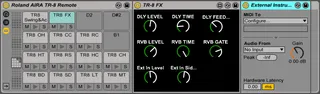
Roland AIRA TR-8 Drum Rack and Remote
The Drum Rack is assigned to the note numbers and the contro...
- Type
- MIDI Effect
- Author
- nerk
- Version
- 1.0
- License
- None
- Live version
- 9.1.1
- Max version
- 6.1.4
- Downloads
- 9,183
- Updated
- No Updates
Roland AIRA TR-8 Drum Rack and Remote is a MIDI Effect for Ableton Live by nerk, distributed as freeware, with no license specified by the author. It targets Live 9.1.1 and Max 6.1.4. On maxforlive.com it has 9,183 downloads. Published 2014-04-06. 17 user comments below.
New to Max for Live? Read what MIDI Effects do, how device licenses work, how to install a device.
Description
The Drum Rack is assigned to the note numbers and the controllable parameters of the drum parts, the side-chain and the effects (except Scatter) of the Roland AIRA TR-8, so that you can directly manipulate and record them while playing which is currently not possible with the TR-8 sequencer.
As with the TB-3 Remote, i found out about the undocumented MIDI CCs by accident, let me know if you know of more and i´ll integrate them.
Available parameters:
Accent
Shuffle
Reverb Level
Reverb Time
Reverb Gate
Delay Level
Delay Time
Delay Feedback
Ext In Level
Ext In Side Chain
BD Tune
BD Attack
BD Comp
BD Decay
BD Volume
SD Tune
SD Snappy
SD Comp
SD Decay
SD Volume
LT Tune
LT Decay
LT Volume
MT Tune
MT Decay
MT Volume
HT Tune
HT Decay
HT Volume
RS Tune
RS Decay
RS Volume
HC Tune
HC Decay
HC Volume
CH Tune
CH Decay
CH Volume
OH Tune
OH Decay
OH Volume
CC Tune
CC Decay
CC Volume
RC Tune
RC Decay
RC Volume
Comments (17)
Thanks heaps for developing this device.
I've found the same issue as the previous comment. I can successfully use push to control all the TR-8 Parameters available on the device, however Decay is only available for Kick, Snare and Low Tom.
Any chance of an update to address this?
Thanks heaps for the work :)
I had to upgrade Max to 6.1.7 to get another device to work, unfortunately this Max device no longer seems to react to tweaking the TR-8. Anything that can be done? Cheers, will be fantastic if we can record TR-* parameters into a Live set.
Annotation: Was VOLUME, NOW DECAY
Automapping Index: Was 1, Now 3
Close the Max Editor, saved the devices and repeat for the remaining devices. After switching to another device, e.g. BD then back to the freshly edited voice, e.g. MT the decay item is now available on Push and responds to changes in the push encoders.
It wont respond directly to the TR-8 knobs however. Should it?
Thanks, Jon
CC#68 = Scatter Type
CC#69 = Scatter Depth
CC#70 = Scatter Switch
C0 = Accent On/Off
D0 = Reverb On/Off
E0 = Delay On/Off
F0 = Ext. In On/Off
G0 = Accent Pattern Mute
A0 = Reverb Pattern Mute
B0 = Delay Pattern Mute
C1 = Ext. In Pattern Mute
Many thanks
e
They are .amxd files it does't really matter where you put them. You could drag them right from your desktop straight into live for example. Or put them somewhere that your Live browser scans and drag them from there. Up to you where you put them.
I had to configure the MIDI OUT of each of the instruments and it works well.
But i can´t make the knobs to respond to changes made on the TR8. I see the incoming MIDI on channel 10, everything is getting into each instrument, but the knobs on the M4L patches doesnt receive the signal.
Is this the normal behaviour or am I missing something?
Thanks !!
Not my patch but I'd say you have to map each control.
Save your set and load it up when you want to jam.
-Ryan
Do i have to configure something to get the audio coming through into the master channel though? At the moment I can't hear anything. Do I have to set something else up?
Many thanks
First of all, thanks for the work man!. Tr8 really needed this.
The thing i like the most of it is the ability it provides to record automation in a live situation. It can effectively extend the somewhat limited pattern lenght of the tr8 in a very creative way.
However i have encountered a painfully limiting issue (at least it happens on my side):
When two or more CC changes are sent at the same time, only one gets through. As a result the existing automation changes every time you record automation for other control. Usually in a non pleasant way.
This can be a real pain when you have big transients of automation. If it misses the cc messages that tells a parameter to go from top to bottom, it gets stuck on the top value until the next cc change (IF it gets through).
Anyone with the same problem?
I dont really have a clue of maxforlive an so i couldn't test if it is an output problem (ableton or the max device) or an input issue of the tr8 (what would be a major mistake of roland).
Maybe if the problem is in the software there might be a workaround to fix it. What do you think Nerk?
It would make me the happiest man on earth :)
I'm using the usb connection btw.
Thanks again.
any idea if it's possible to connect the TB3 via midi to the TR8 and the change the parameters of the TB3 in ableton as well?
I already download one for TB3 and i put together with this one but when I try to mapping the TB3 don't do nothing, probably need to be connect directly to ableton..
Thanks for your help